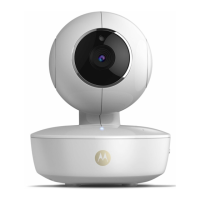
1. Antenna
2. Wall mount base
3. Infrared LEDs (for night vision)
4. Camera Lens
5. Light Sensor (for night mode
detection)
6. PAIR Button
7. Power / Status Indicator
8. Dome Shape Cover
9. Power connection socket
10. LAN socket*
(Adaptive Ethernet socket for
connecting with various network
devices, such as hub, router, etc.)
Overview of your Camera
* An Ethernet connection is required when the Wi-Fi
®
connection is
not optimal. Connect the Ethernet cable (not supplied) to the LAN
interface, and then connect the other end to a spare port on your
router.
Important guidelines for installing your Wi-Fi
®
Camera Unit
• Use of other 2.4 GHz products, such as other wireless networks, Bluetooth
®
systems or microwave ovens may cause interference with this product. Keep
the Wi-Fi
®
Camera Unit away from these types of products, or turn them off if
they appear to be causing interference.
• Always ensure that you have a good Wi-Fi
®
connection available.



 To Next Page
 Loading...