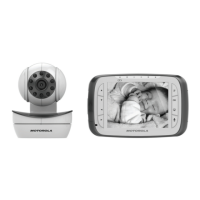
2. Basic explanation of the display icons
Parent Unit
Connection status
displays when a strong signal strength is detected between the baby unit and the parent unit.
, or displays when a weaker signal strength is detected between the baby unit and the parent unit.
displays when the link between the baby unit and the parent unit is lost.
displays when the parent unit is searching for a baby unit.
Current view status Displays on the status bar the number of which baby unit is being viewed, from 1 to 4. For a single unit it will be 1.
Zoom
Menu option to zoom in or out of the image. The icon is displayed on the status bar when the camera on the baby unit is
zoomed in.
Volume off Displays when the volume is turned off.
Sound activation
Menu option to turn the sound activation on or off. With sound activation ON, the icon is displayed on the status bar, and the
display will turn off after a short time if no sound is detected by the baby unit. When a sound is detected, the video screen
will turn back on automatically.
Battery status
scrolls when the battery is charging.
displays when the battery is fully charged.
displays when the battery is low and needs charging.
displays when operating on AC power only, if no battery is installed or the battery has been installed incorrectly.
Camera selection Menu option to select which baby unit displays its image on the screen, or view all baby units in Scan Mode.
Brightness Menu option to change the brightness of the screen.
Sensitivity
Menu option to change the sound sensitivity level of the baby unit. With sound activation turned on, the monitor will turn off
if the sound detected at the baby unit falls below the set level, and automatically turn back on when it exceeds the set level.
Pairing
Menu option to add or replace baby units (purchased separately) to your baby monitor system. Up to 4 baby units can be
used with a parent unit. (Important Note: The supplied baby unit(s) and parent unit are already paired.)


 To Next Page
 Loading...