Getting Started 9
ENGLISH
2. Getting Started
2.1 Baby Unit Power Supply
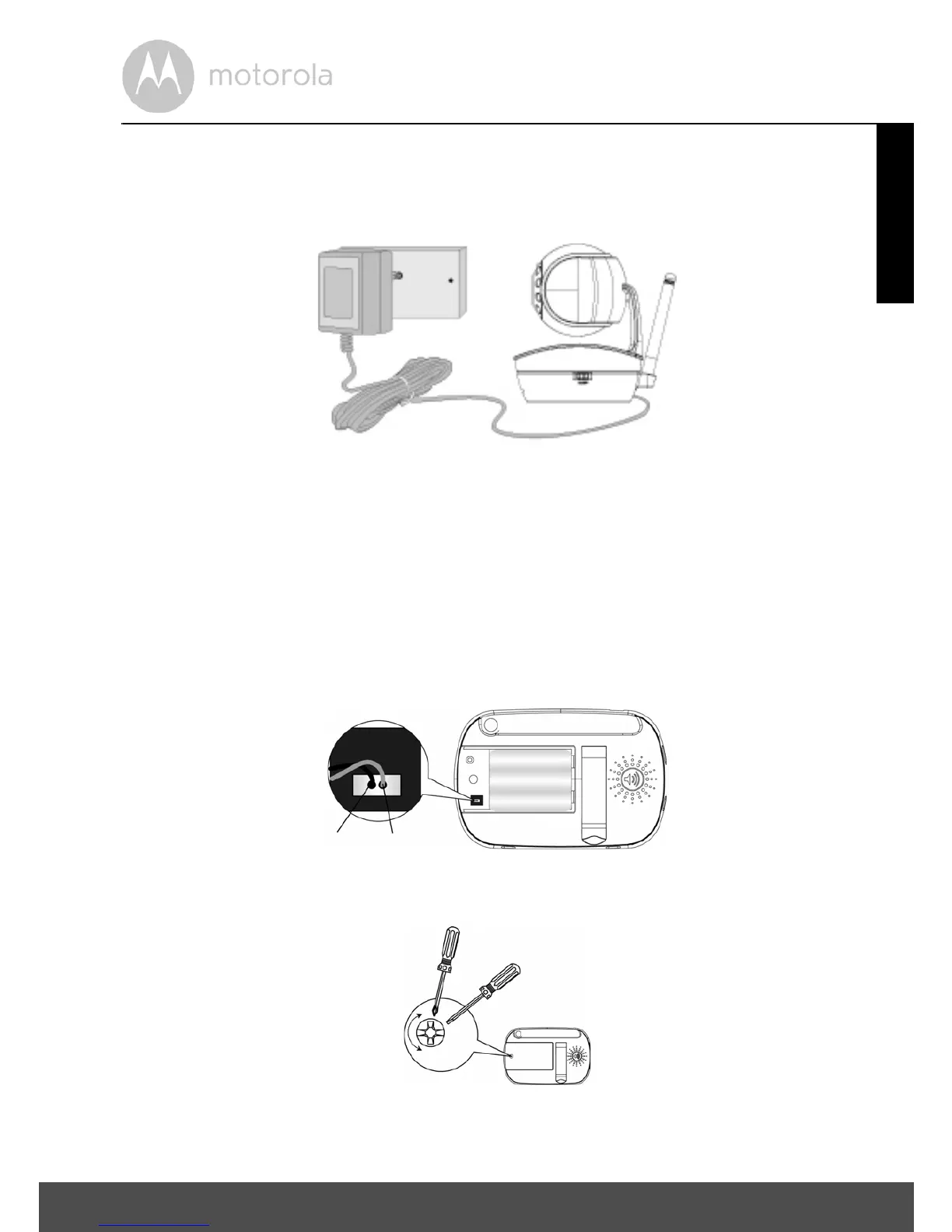
1. Connect the small plug of the power adapter to the baby unit and the other
end to the electrical outlet.
NOTE
Only use the enclosed power adapter (5.9V DC / 1000mA).
2. Slide the ON/OFF switch to the ON position. The power LED will light up
in green.
3. Slide the ON/OFF switch to the OFF position to turn the Baby Unit off.
2.2 Parent Unit Battery Installation
1. Insert the wire tab of the rechargeable battery pack into the contact slot as
shown above and fit the battery pack into the compartment.
2. Replace the battery cover over the compartment and gently tighten the
screw in a clockwise direction using a Small cross head or Flat end
screwdriver.


 To Next Page
 Loading...