11Home screen
Home screen
quick access to the things you need most
Quick start: Home screen
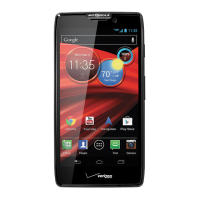
The home screen gives you all your latest information in
one place. It’s what you see when you turn on your
phone or touch Home .
Note: Your home screen might look a little different.
15°L
32°H
33
°
Ottawa
100%
Wed, Aug 15
PeoplePhone CameraText Messagi
4:00
Email
Calendar
Chrome
Google
Status Indicators
Shortcuts
Touch to open.
Notifications
Drag this bar down
to see details.
Flick left or right to
see and add more
panels.
Widget
Recent Apps
Home
Back
Favorites Tray
Use & change your home screen
Shortcuts on the home screen are icons that open your
favorite apps. Widgets are apps or tools that provide
additional phone functionality and live content.
To see other pages of shortcuts and widgets, flick the
home screen left or right.
• Create shortcut folders: To create a folder of
shortcuts on your home screen, touch and hold a
shortcut, then drag it on top of another shortcut. You
can create a folder of apps to use when you have
spare time, when you want music, or when you need
to contact people—whatever goes together for you.
• Add widgets & shortcuts: Touch Apps , touch and
hold an app or widget, then drag it to a spot on a
home screen page. To see all your apps and widgets,
flick the menu to the left, or touch
Apps or Widgets
at
the top.
• Resize widgets: You can resize some widgets, touch
and hold a widget until you feel a vibration, then
release. Drag the blue diamonds at the edges to
resize.
• Move or delete shortcuts & widgets: Touch and
hold a shortcut or widget until you feel a vibration,
then drag it to another spot, another page, or
Remove
at the top of the screen.
• Add, rearrange, or delete pages: From your home
screen touch Home . Touch to add a page.


 To Next Page
 Loading...