MTS Ultimate TV Service
Complete User Guide
Welcome to MTS Ultimate TV ................................................................1
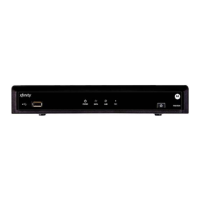
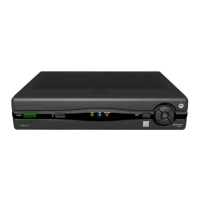
MTS Ultimate TV Set-Top Box General Information and Maintenance ...............................2
The Remotes..............................................................................3
Getting to Know the Buttons on Your MTS Ultimate TV Remote: .....................................4
The TV Basics .............................................................................5
Navigating the On-Screen Menus .............................................................5
Customize Channels in the Guide.............................................................6
Setup Favourite Channels ...................................................................7
View Favourites ..........................................................................7
Search .................................................................................7
Call Display on TV.........................................................................8
MyRemote ..............................................................................9
How to Use Descriptive Video and Closed Captioning .............................................10
MTS Weather Channel ....................................................................10
Lobby Camera ..........................................................................11
Whole Home PVR Service ..................................................................12
How many TVs can I watch at once? .........................................................12
Control Live TV ..........................................................................12
Set Recordings ..........................................................................12
View Upcoming/Scheduled Recordings ........................................................15
Play Back Recorded Programs ...............................................................15
Cancel, Stop, Erase Recordings ..............................................................16
Conflicts.............................................................................. 16
Resolving Recording Conflicts ...............................................................17
MyPVR ..................................................................................18
MTS Video on Demand ....................................................................18
Accessing MTS Video on Demand............................................................18
Play Video on Demand Programs ............................................................18
Controlling Video on Demand Programs .......................................................19
You are Unsure of the Expiration Date for a Video ...............................................19
The Video Expires While Playing .............................................................19
A Rented Video On Demand Program is Not in the Current Rentals List ...............................19
MTS Pay-Per-View Events ................................................................. 19
Parental & Rental Locking – VOD and Live TV ..................................................20
Default Settings for Parental Locking .........................................................20
Movie and TV Rating Systems ...............................................................20
Getting Ready to Use Parental Locking ........................................................21
Watching a Locked Program ................................................................22
Rental Locking ..........................................................................22
Changing the PIN ........................................................................22
Forgot your Parental Control PINs? ...........................................................22
Parental Control Tips: .....................................................................23


 To Next Page
 Loading...