SECTION 2 INSTALLATION
2-8 SECTION 2, INSTALLATION
Wireless Connection to Router
WARNING!
Initial configuration of the router with a wireless
connection is NOT secure and is not recommended by
Motorola. If at all possible, for an initial configuration, use
an Ethernet cable to connect to the router.
If you are connecting your client (most likely a PC) wirelessly to the
router, you can use the Motorola WPCI810G, a wireless PCI card for
your desktop PC. If you have a laptop, the Motorola WN825G
wireless PC card provides access.
Note: The WN825G/WPCI810G is not supported under Windows 95, 98, nor NT.
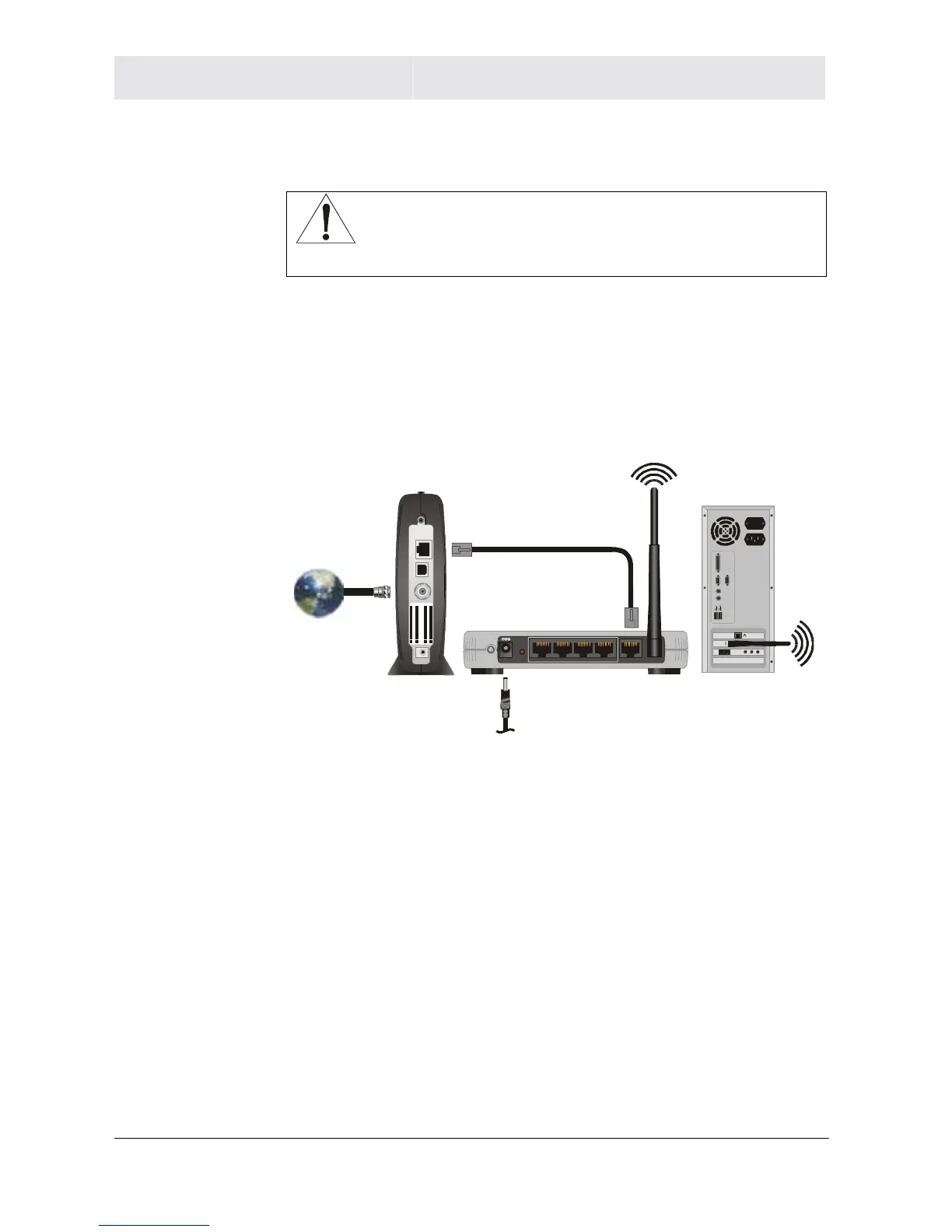
To connect the router to the modem, you need at least one Ethernet cable.
LAN 4 WAN321
nt e nna
Reset
Power
ETHERNET
USB
CABLE
+12V DC
USB CPE MAC I D:A BDCEF0 12345
S/N: PPPPMMYJJJSSSSSCA
BBCCCC
HFC MAC ID: ABCDE F012345
CUSTOMER S/N:BCDFGHJKLMNP
1 If you have been running broadband to a single computer before,
unplug the cable, that runs between your modem and PC, and
plug it into the port labeled WAN on the back of your router.
Otherwise, take one end of an Ethernet cable and plug it into the
WAN port. The WAN port is the only port that works for your
connection from the modem to the router.
2 If the same cable isn’t plugged in already, take the other end of
the cable and plug it into your cable or DSL modem. You have
now connected the router to the modem. It may be necessary to
restart your cable or DSL modem after making this connection.



 To Next Page
 Loading...




