SECTION 2 INSTALLATION
2-10 SECTION 2, INSTALLATION
Configuring Windows 98SE and ME
1 Click Start.
2 Select Settings > Control Panel.
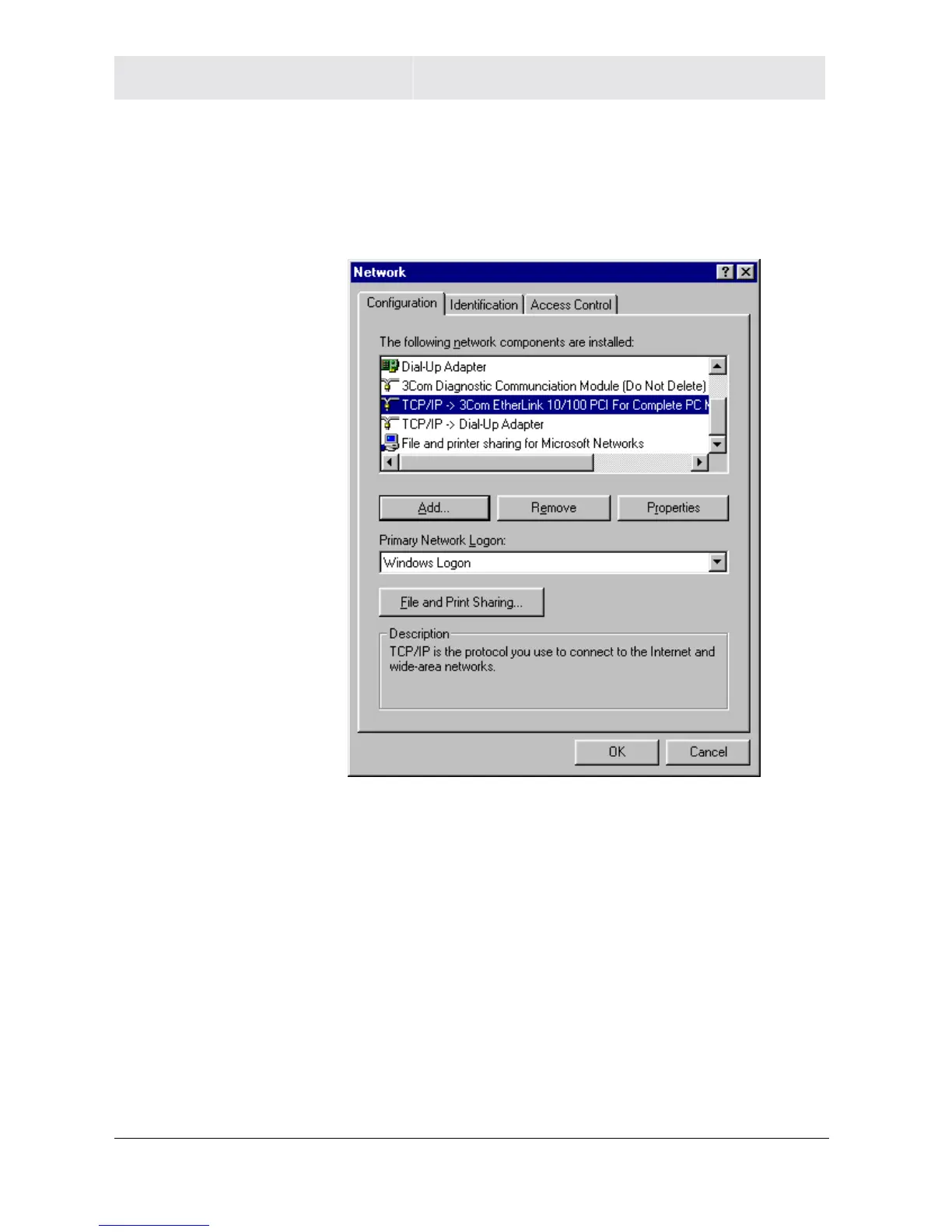
3 Double-click Network. The Network window is displayed:
4 On the configuration tab, select the TCP/IP line the for the
appropriate Ethernet adapter. There might be multiple adapters
installed – choose only the one that is configured for your
adapter. In the example above, a 3Com Ethernet adapter card is
installed and is the appropriate choice for this example.



 To Next Page
 Loading...




