INSTALLATION SECTION 2
SECTION 2, INSTALLATION 2-13
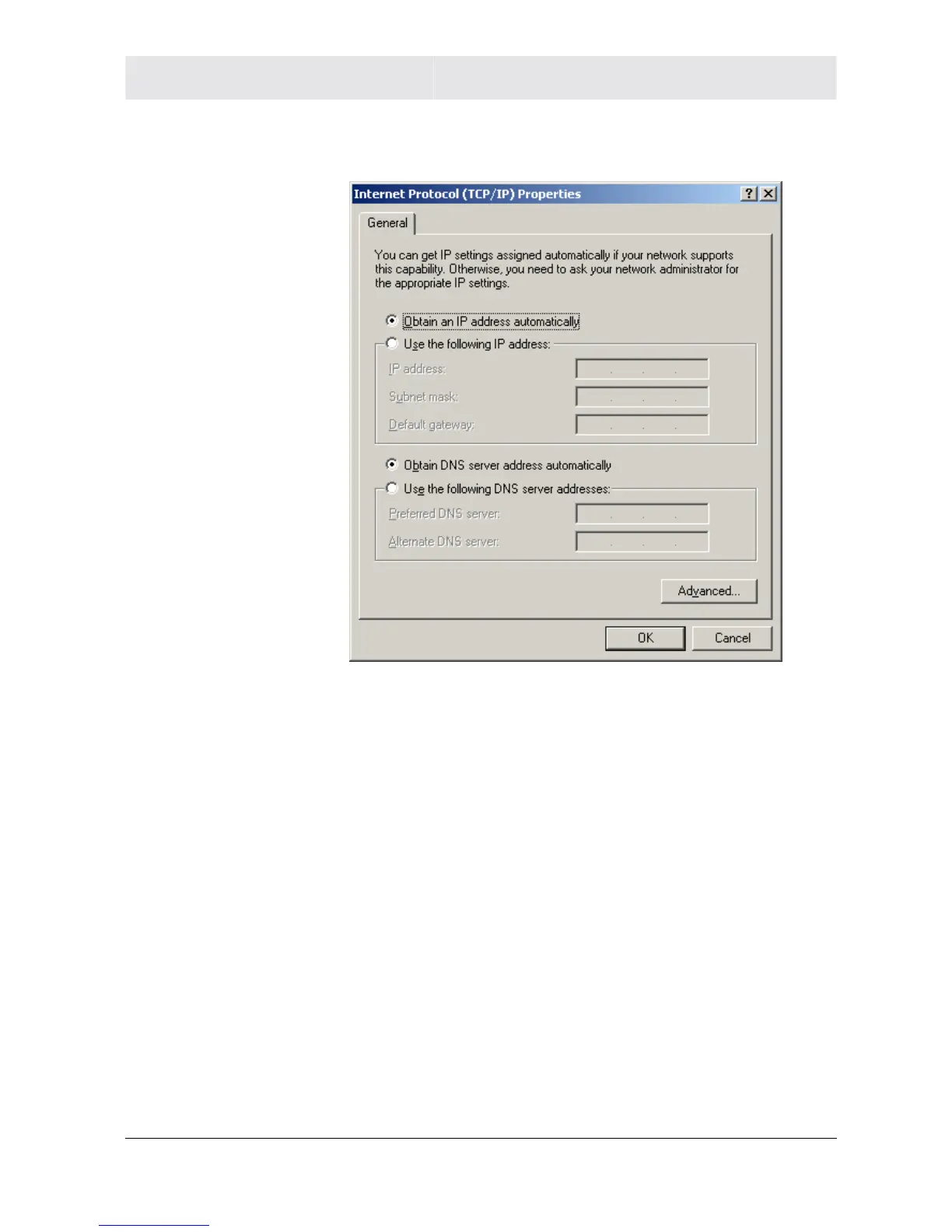
8 Click to highlight Internet Protocol (TCP/IP) and click the
Properties button.
9 Select Obtain an IP address automatically. Click OK twice to
exit and save your settings.
10 Restart your computer to save your settings.
11 Proceed to the Configure Your Wireless Settings section to set up
the security settings.
Configuring Windows XP
This configuration assumes you have retained the default interface
for Windows XP. If you are running the ‘Classic’ interface, please
follow the instructions for Windows 2000.
1 Click Start.
2 Select Settings.
3 Select Control Panel.
4 Double-click Network and Dial-Up Connections.



 To Next Page
 Loading...




