Personalize your phone
Personalize your phone
» Redecorate your home screen
» Add another user
» Discover Moto
» Digital wellbeing & parental controls
Redecorate your home screen
Customize your home screen the way you want.
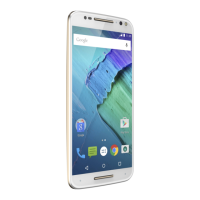
Home screen showing customize options. Touch and hold the home screen to add a widget. Tap an app to open it. Touch and hold it to move or remove it.
» Change your wallpaper: Touch and hold an empty spot on the home
screen, then tap Wallpapers.
» Add a home screen page: Drag an app to the right side of the home
screen until a new page appears. You can add multiple pages.
» Adjust display settings: Adjust brightness, font size, and screen saver.
Swipe up
> Settings > Display.
» Switch to dark theme: Change your display to use dark theme, which
saves battery and can be easier on your eyes. Swipe up
>
Settings > Display > Dark theme.
Tip: Tap Schedule to set when you want Dark theme to display.
» Change your style: Change your font and icon style. Touch and hold an
empty spot and tap Styles.
» Rotate: In many apps, the touchscreen switches from portrait to
landscape when you rotate your phone. To turn this on or o, swipe up
> Settings > Display > Advanced > Auto-rotate screen.
Note: To see more home screen settings, touch and hold an empty spot
and tap Home settings.
Say “Hey Google”
Drag shortcuts on top of
each other to make a folder.
Tap a shortcut to open.
Touch and hold to move or delete.
Touch and hold an empty
spot to change wallpaper.



 To Next Page
 Loading...