Get Started
Power on
Press and hold the Power button, then follow the prompts to get started.
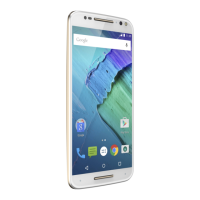
Power on graphic. Press and hold the Power button until the screen lights up.
Sign in
If you use Gmail™, you already have a Google™ account—if not, you can
create an account during setup. Signing into your Google account lets
you access, sync, and backup your stu. You can see your Google apps,
contacts, calendar, photos, and more.
To make sure your apps are up-to-date, see Add and update apps.
Tips
» To add, edit, or delete accounts, swipe up > Settings >
Accounts.
» To set up email accounts, see Gmail.
» For help with your Google account, visit www.google.com/accounts.
Connect to Wi-Fi
For faster Internet access and to conserve mobile data use, swipe the
status bar down. Touch and hold
to choose a Wi-Fi network. For full
instructions, see Connect with Wi-Fi.
Note: This phone supports apps and services that may use a lot of data,
so make sure your data plan meets your needs. Contact your service
provider for details.



 To Next Page
 Loading...