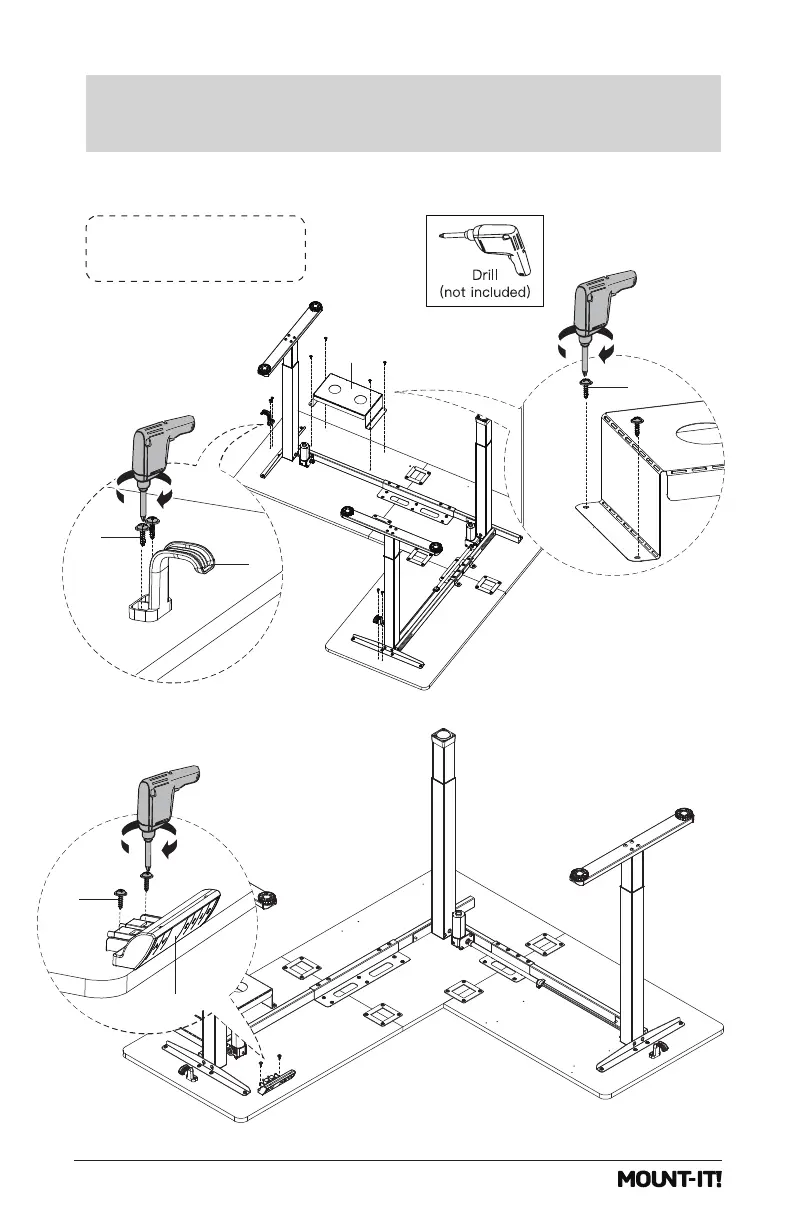
Option A: Long side of
desk on the right hand side
14
Attach the Cable Holder (#B) and Headphone Hooks (#T) to the Desktop,
using Screws (#d). Attach the Control Panel (#P) to the Desktop, using Screws (#c).
Attach the Cable Holder / Headphone Hook /
Control Panel and Cloth Drawer Brackets
Step 6
T
d
d
B
c
P


 To Next Page