Q
S
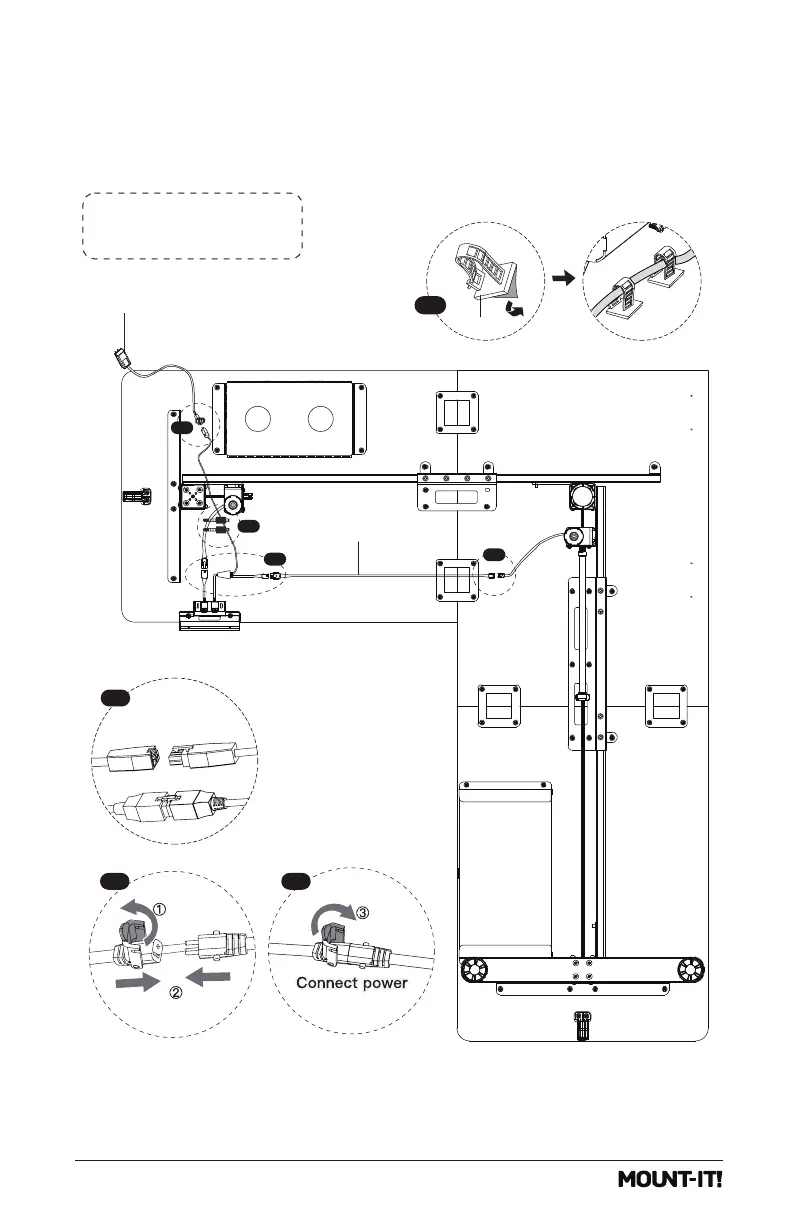
Option B: Long side of
desk on the left hand side
Connect the Power Lines
Connect the Power Lines as shown in the image.
Attach the Cable Clips
Attach the Cable Clips (#g) to the underside of the desktop as needed. It is recommended that they
be placed approximately in the middle of each length of wire to prevent the cords from hanging too low.
Open the Cable Clip as shown in the magnification bubbles, insert the cord and close the clip again.
2
3
1
1
1
2-1 2-2
g
3
18


 To Next Page