3
USING THE CONTROLLER
Please retain these instructions for future reference
RESET
Hot
El0
E20
E02
E32
E31
E60
-
Protection Mode Error Codes
Settings
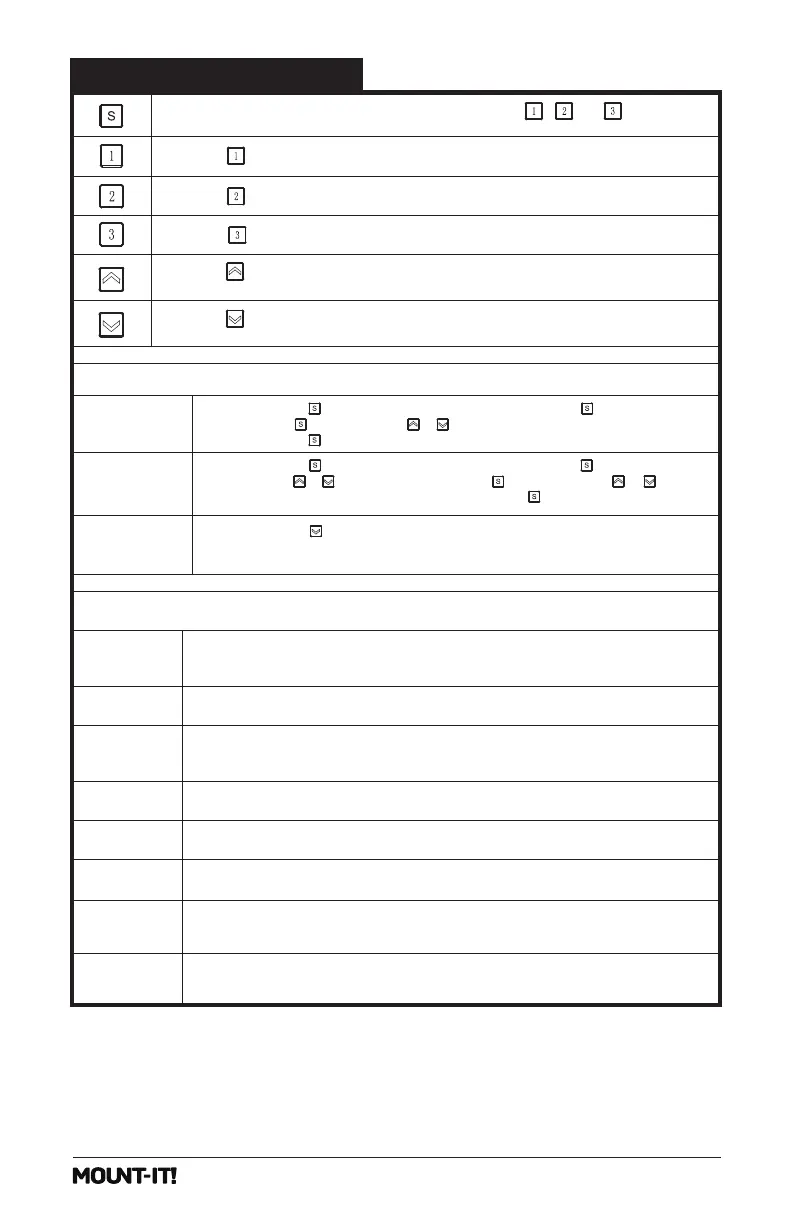
Press and hold the button for 5 seconds, and the screen
will show 'RES.' Continue holding until the desk goes down to its lowest level and comes
back up slightly.
Press and hold the button until a flashing 'S-' is displayed. Press again, and ‘Un’ is
displayed. Press to select it, press or to switch between 'IN' (imperial) and 'SI'
(metric), and press to save your choice.
Press and hold the button until a flashing 'S-' is displayed. Press again, and ‘Un’ is
displayed. Press or to switch to 'CF' and press to select it. Press
or
to
switch between off, low, normal, and high sensitivity. Press to save your choice.
Change Display
Height Units
Change Collision
Detection
Sensitivity
Short-press the [S] button, and the display will flash. Press the , ,or button to save
the current height setting to that button.
Press the button, and the desk will move to the height that was previously set for that button.
Overheating Protection: When the motor has been working continuously for 2 minutes,
it will stop operating to prevent damage from overheating. Wait for at least 18 minutes before
making any further height adjustment.
Sensor Malfunction Warning: Motor safety sensor can't be detected. Power off, check the
connection between the motor and controller, and power back on again.
Overloading Warning: Max load exceeded.If raising the desk, remove objects from the desk to
reduce weight and try again. If lowering the desk, power off, take the things off the desk,
power back on, and try again.
Operation Status Warning: The desk stops moving if vibration, impact, or incline are detected.
If this detection is incorrect, follow the reset instructions before continuing use.
Overvoltage Protection: Input voltage too high. If the correct AC adapter is being used, power
off the desk, check the connection between power and the controller, and power on again.
Undervoltage Protection: Input voltage too low. If the correct AC adapter is being used, power
off the desk, check the connection between power and the controller, and power on again.
Unequal Leg Height Warning: Power off the desk and check whether the right and middle legs are
at the same height. Power on again and adjust if necessary by following the "RESET" instructions.
Cable Disconnection Warning: Check motor and controller cable connections. Normal operation
should return once all connectors are properly connected.
Press the button to raise the desk continuously until it reaches the highest position of 46.5 "
(118cm) or the button is released.
Press the button to lower the desk continuously until it reaches the lowest position of 28.3"
(72cm) or the button is released.
Press the button, and the desk will move to the height that was previously set for that button.
Press the button, and the desk will move to the height that was previously set for that button.


 To Next Page
 Loading...