7. Operation
7.1 Operation screen
O
pe
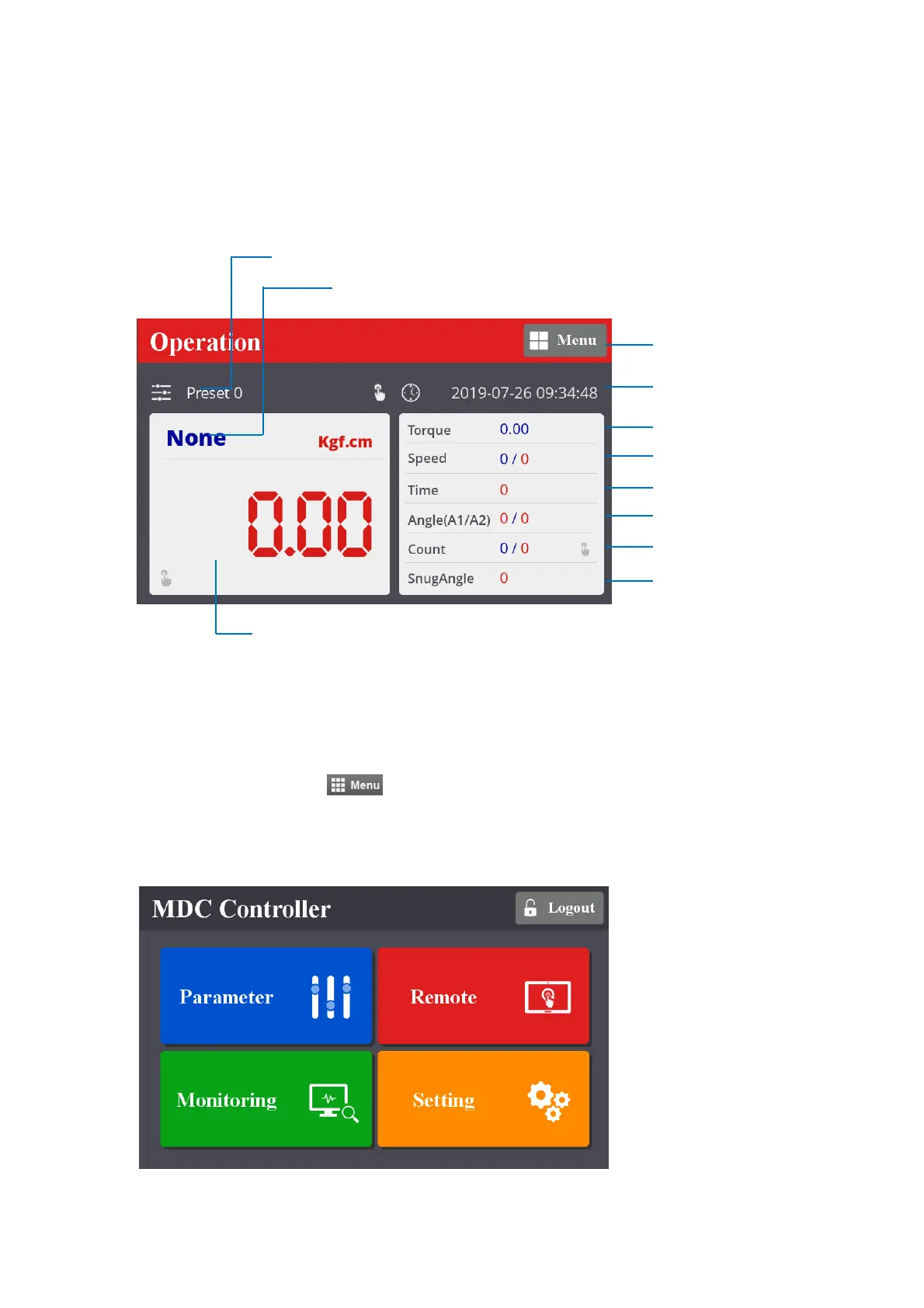
ration screen is a default window when the controller power ON.
The real time monitoring data and target settings are displayed together.
To go other menu, click the
on the top right side.
There are 4 menu for Parameter change, Remote operation, Real time monitoring and Display
settings.
Preset (Model) # (1 – 15)
Fastening result OK/NG/Ready
Monitoring torque
Torque target, Snug angle
Speed target/Monitoring
Angle A1 / A2
Monitoring angle/time
Menu
Date & Time
Fastening time
Count Target / Count
mountztorque.com - 1080 N 11th St, San Jose CA 95112 - 408.292.2214



 To Next Page