7
ES Steering Wheel
02
v High-grade Leather and Stitching
v Aluminum Alloy Frame
v MOZA Racing Custom Quick Release
v Aluminum Alloy Shifter Paddles
v 22 Configurable Keys
v MOZA Flow Shift Color Indicator Lighting
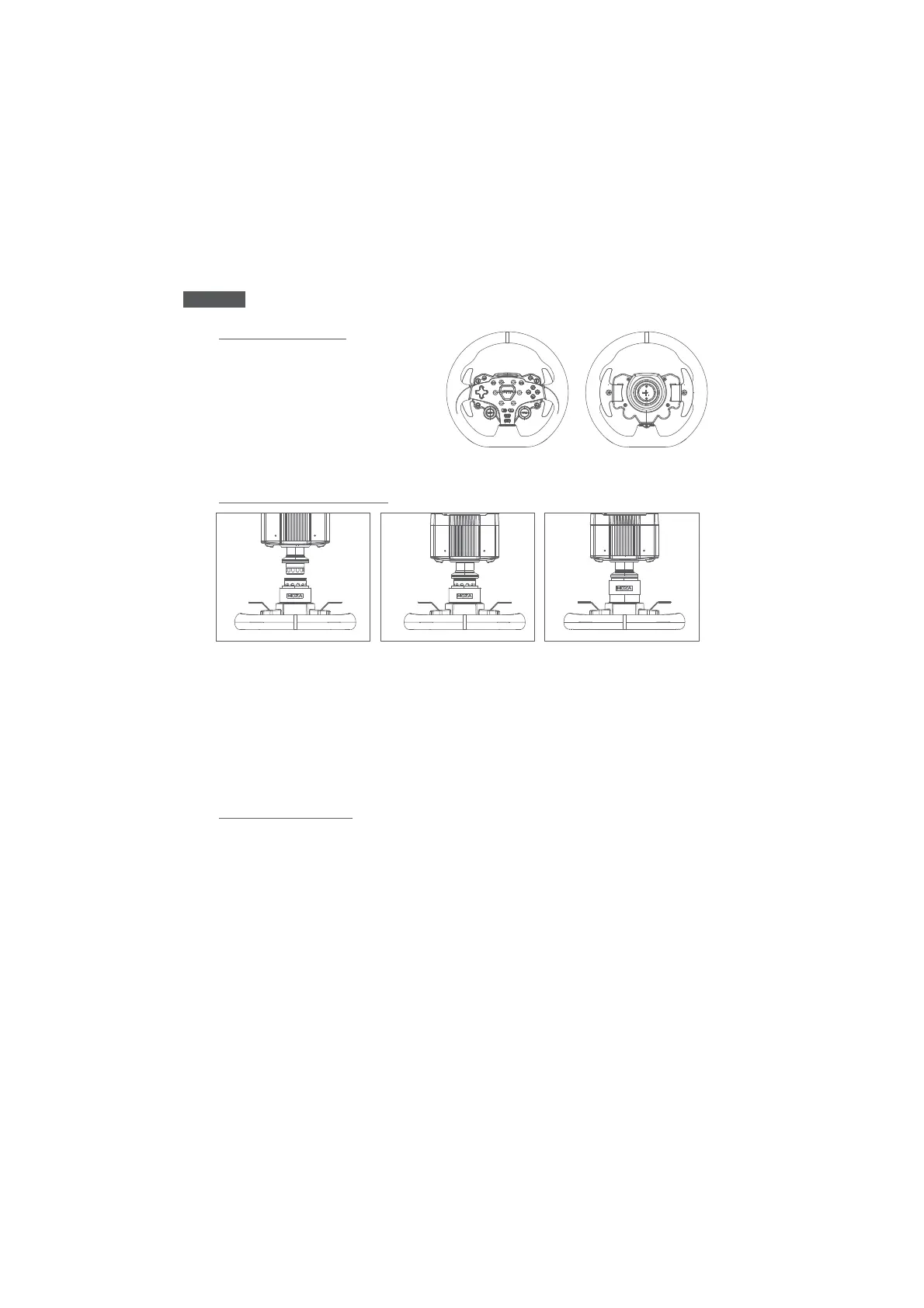
1. Align the 6 steel balls on the steering wheel with the 6 grooves on the wheelbase.
2. Press the wheel into the wheelbase, keeping the balls aligned with each other.
3. The quick release will automatically snap into place, locking the wheel to the base. If the
quick release does not lock, try rotating the panel on the base to its default position, and
try again until it locks correctly.
4. To remove the wheel from the base, simply use two hands to pull back on the outer ring
(black color) and pull the wheel out at the same time.
Using MOZA Pit House, our software suite, the ES steering wheel can easily be set up and
configured to your liking.
vJoystick Mode: Can be configured as buttons or keys.
vIndicator Light Switch: Allows for switching the indicator light off, on, or specific speed
settings.
vIndicator Light Display Mode: Divided into two modes, toggled in the MOZA Pit house
suite.
vSpeed Adjustment: Adjustable according to speed and the timing of the shift indicator
light, with different presets available.
vBrightness Adjustment: Allows for adjusting of the brightness of the shift indicator.
Product Description
Quick Release Instructions
Wheel Configuration
'SPOU 3FBS


 To Next Page
 Loading...