2
v Never expose the unit to rain or water to avoid fire / electric shock.
v Do not expose the unit to direct sunlight for extended periods as this may damage the
unit.
v For your safety and well-being, please monitor your gaming time and take breaks as
needed.
v The R5 is not suitable for children under the age of 6, and smaller parts may present a
choking hazard.
v Children under the age of 13 should be accompanied by a guardian when using the R5.
v It is forbidden to disassemble the device without the permission of MOZA, otherwise the
user voluntarily voids their warranty.
v The R5 must be connected to a safe electronic power supply.
1. Fix the base to the bracket through the 2-4 screw holes on the bottom of the base.
2. Insert the Type-B end of USB cable and power cable into corresponding ports on the
rear of the R5 base.
3. Short press the power button (located on the rear of the R5 base) to power on the R5.
4. Navigate to MOZA Racing (www.mozaracing.com) and download the latest version of
the MOZA Pit House Software Suite. Install it and start your racing journey!
5. For installation videos and further information, visit our official website (www.mozarac-
ing.com)
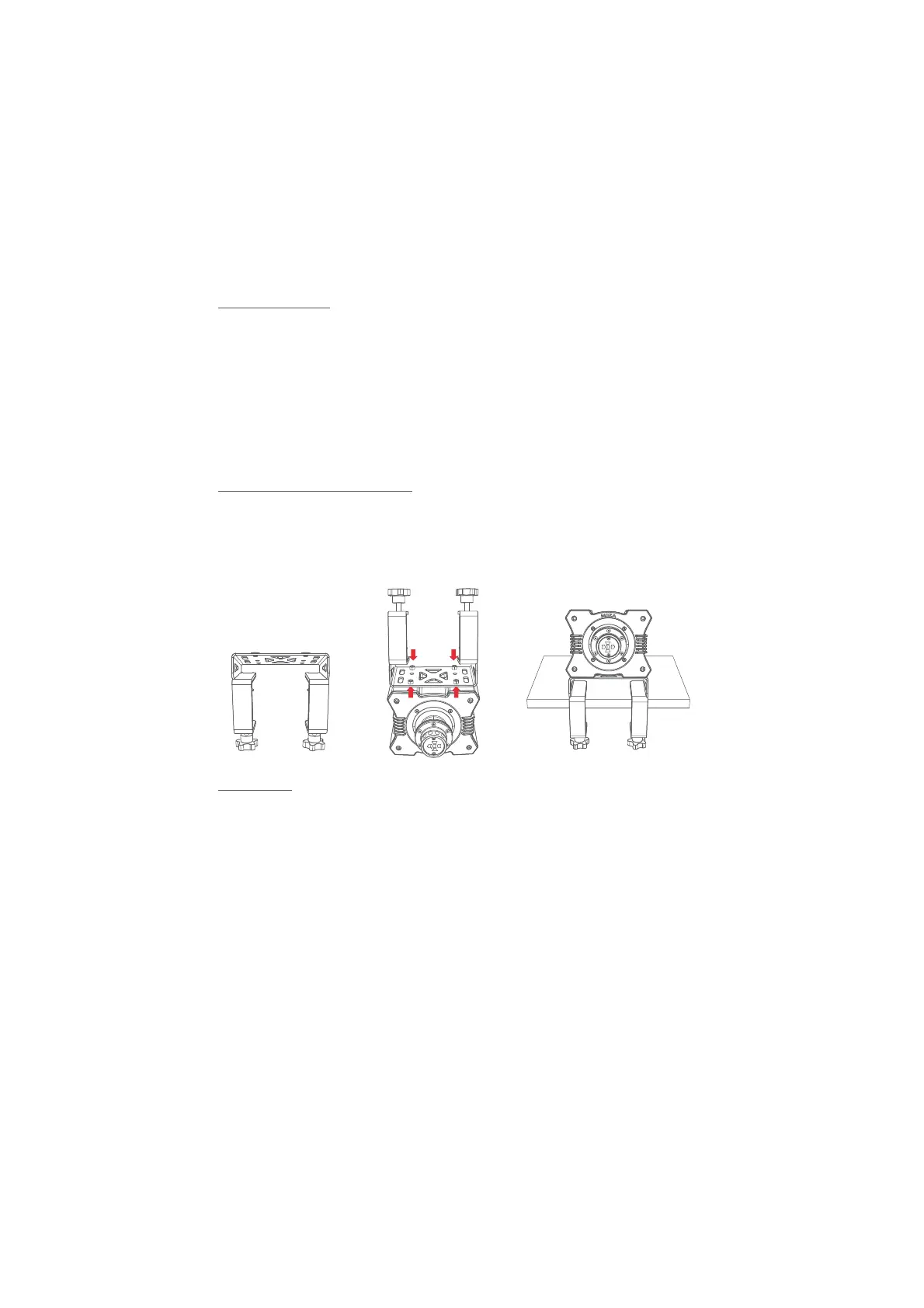
Align the four screw holes on the bottom of the base with the mounting holes on the desk
clamp and fix it to the desk clamp with 4 screws. Tighten the knobs on the desk clamp to
the desktop and be sure to tighten up the knobs again to avoid the desk clamp from
loosening and falling off during intense driving.
Precautions
Installation Guide
Desk Clamp Installation Guide


 To Next Page
 Loading...