2
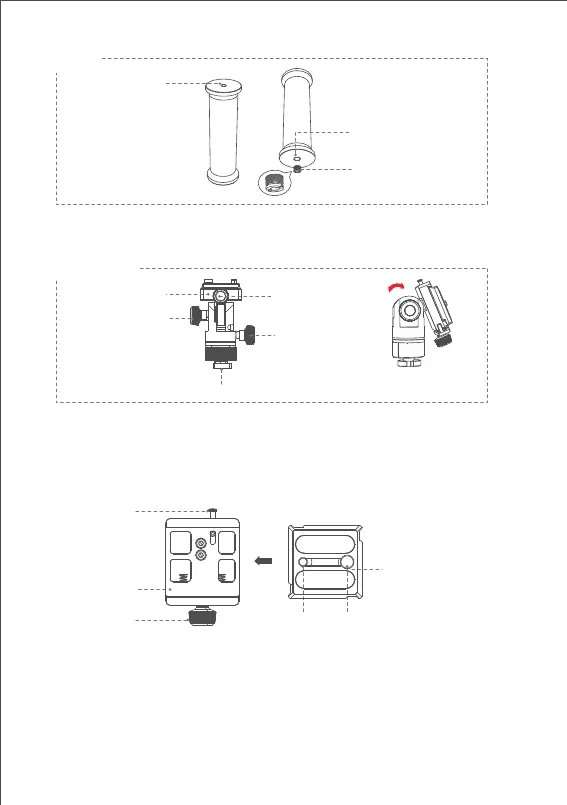
Handle
Pan-tilt Head
Quick Mounting Port
Pan Knob Screw
Knob Screw
Quick Mounting
Port
Pan-Tilt Lock
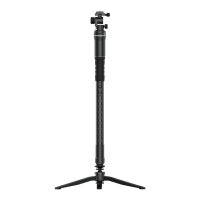
There is a 3/8" extension screw hole on the bottom of the handle, and it
comes with a 3/8" to 1/4" adapter screw to meet installation needs of
different shooting devices. (Such as monopod, tripod, etc.)
● Loosen the pan knob screw to adjust the pan angle; tighten the screw
to fix the pan angle.
● Loosen the tilt knob screw first, press it inward to rotate the quick release
baseplate to adjust the tilt angle (±90°)
● Stop pressing the screw, then tighten it to fix the tilt angle.
● Slide the quick release plate onto the baseplate, tighten the pan-tilt
lock to fix the release plate;
● Loosen the pan-tilt lock, press the safety lock to detach the release
plate from the baseplate;
● The quick release plate is equipped with1/4” and 3/8” screws to meet
different mounting needs.
1/4” Screw Hole
3/8” Screw Hole
3/8” to 1/4” Adapter
Screw
1/4” Screw Hole
Safety Lock
Pan-tilt Lock
3/8” Screw Hole
Quick Release
Baseplate
Quick Release Plate



 To Next Page