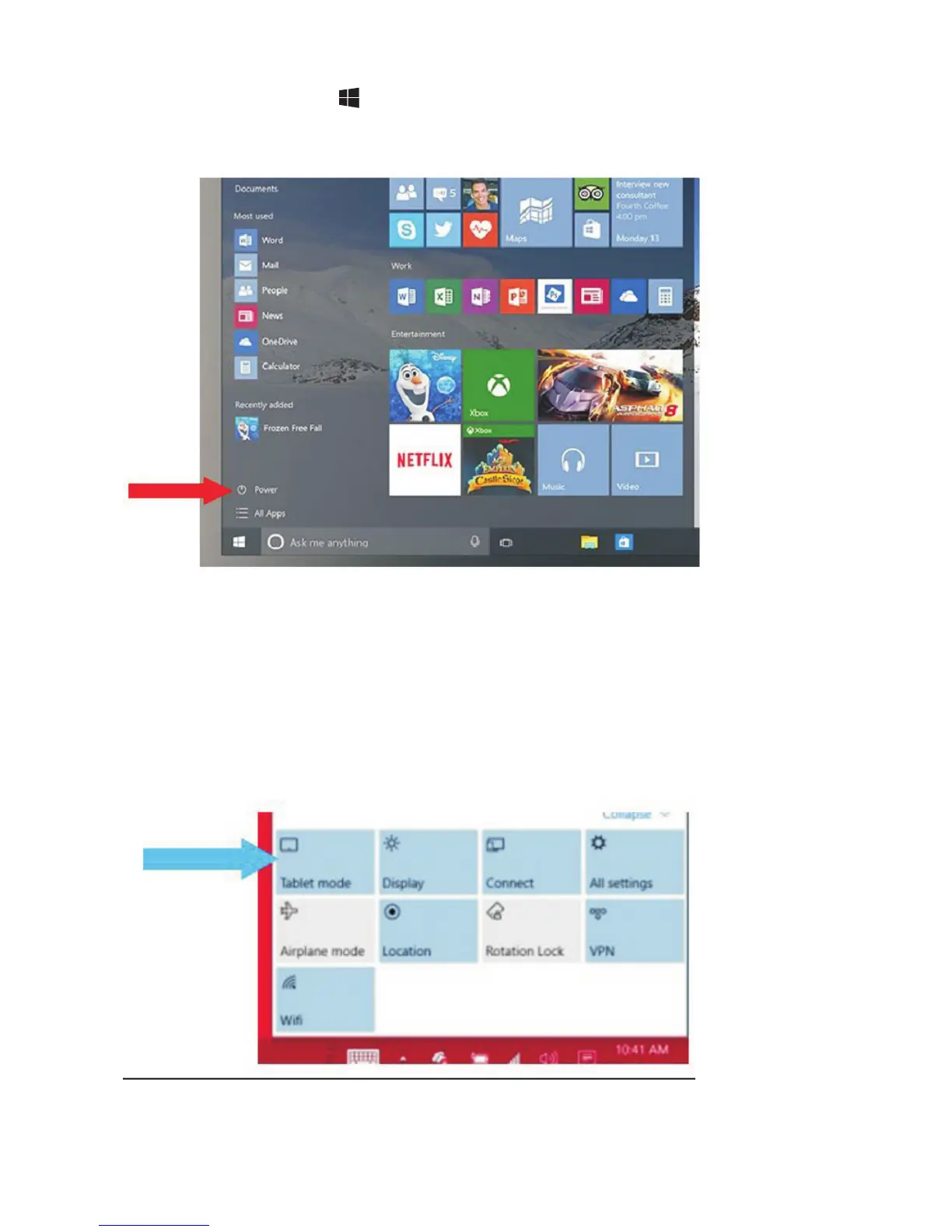
In desktop mode, tap on the bottom of the screen to access the
menu.
Tap Power→Shut down to turn off the tablet.
To turn off the tablet in tablet mode, first enable the tablet mode by
swiping
the screen from the right to access the menu. In addition to the action
center, it also allows access to general settings like airplane mode,
rotation lock, and Wi-Fi.
Tap Table mode to enable the tablet mode. Tap Power→Shut down to
turn off the tablet.


 To Next Page