16
Off C lose blink detect
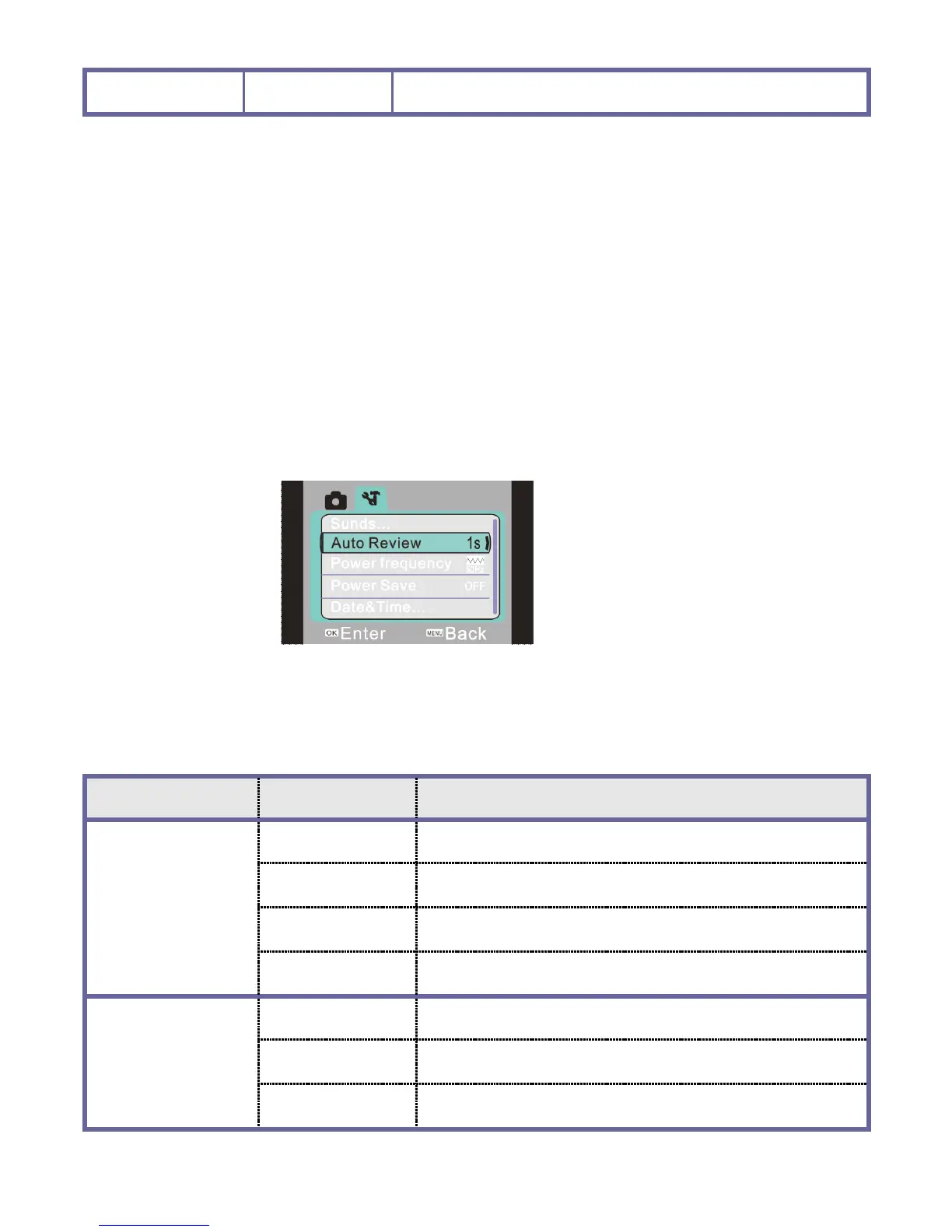
Setting menu
No matter under recording mode or picture taking/recording or playback mode, after the
menu is opened by pressing the menu key, press the left and right key to enter setting the
main menu. Then press the up, down, left and right key to select menu and press OK key
to enter the submenu. In the submenu, press the menu key or OK key to return to the
main menu and press the up key or down key to select and finally press OK key for
confirmation. After returning to the main menu, it is possible to press the menu key to
exit from the menu.
▲
Setting menu
▲
During menu selection, the selected menu will be displayed in high brightness.
Main
Main
Main
Main menu
menu
menu
menu S
S
S
S ubmenu
ubmenu
ubmenu
ubmenu Description
Description
Description
Description
Sound
Shutter Open/close
Open sound No /
/
/
/ 1/2/3
Key sound Open/close
Volume 0/1/2/3
Auto Review
Off No playback after picture taking
1 second Playback for 1 second after picture taking
3 seconds Playback for 3 seconds after picture taking


 To Next Page
 Loading...