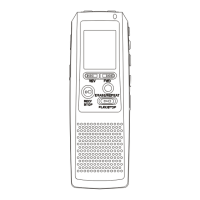
5
Basic operation
1-Power supply
It is powered by AAA battery; please buy the rechargeable battery with large capacity.
When
the remaining capacity of battery indication shows
please change the battery in time.
2-Power on/off
Power on: press
button to turn on the unit, the LCD display the logo and
enter the DVR mode under stop status.
Power off: continuously press
button until the LCD displays OFF
Note: if the unit is locked by the LOCK key, it displays the locked icon and then power
off automatically while power on
3-Modes
There are 5 modes: DVR mode, MP3 mode, voice-controlling, REC Type, remaining
capacity mode.
Under the state of pause or stop, press M to shift MP3 mode from DVR, from MP3 to
Voice-controlling recording, from Voice-controlling recording to REC type, from REC
type
to remaining capacity mode. Five modes can be shifted round.



 To Next Page