Features: Vibration system with 2 motors, 1.8M cable with
magnet ring, Fully Compatible with PS3 and PS4*,
UV paint for Action buttons, Dpad+Laser Home button with LED
light
Interface: USB 3.0 / USB 2.0 / USB 1.1
Dimensions: 158x92x62mm; Weight: 200g
Cable length: 1.8 meters
Buttons: 16
Compatibility: PS3/PS4* Console
Function Buttons:
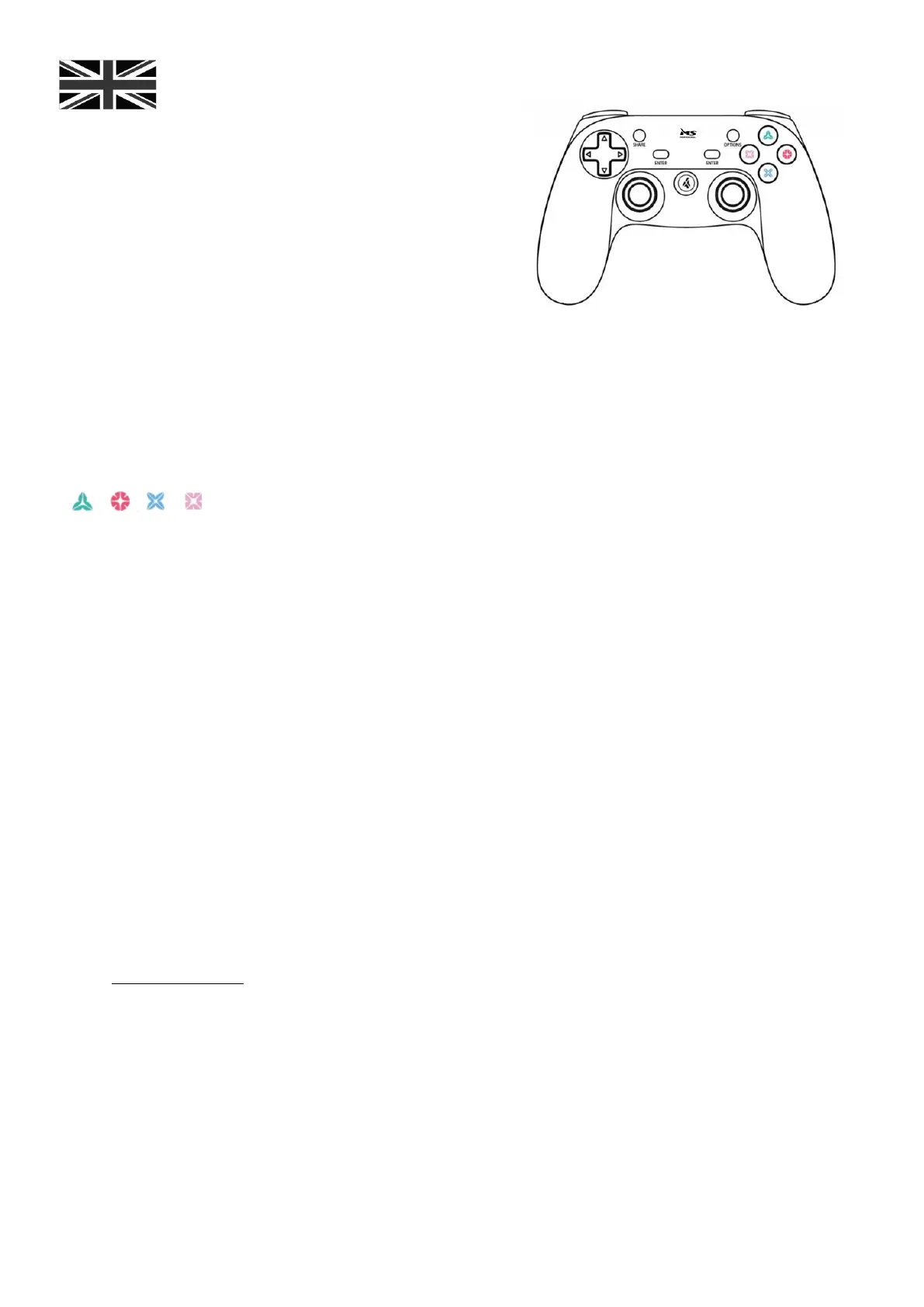
1. The gamepad has 16 function buttons, with D-pad, triggers,and L3,R3 buttons
2. Enter Buttons: Same as Original PS4* Touchpad function button
3. PS button: the lasermarked LOGO “4” button. short press is for back to main page,
4. Home button: return back to main menu when gampad power on; wake up gamepad; switch to working program;
long time pressing to shut down PS4* console/power off
5. Player ID: when more than two gamepads under PS4* console using, LED light color of players' should be same as
what console showed
6. Share button: when play PS4* games, you can share your video or pictures with your friends
7.Options: it is main for menu function
8. four action buttons
9. 3D joystick: High-precision RSF 3D joystick.
Note:
1.When you already connect one PS4* gamepad,if try to insert the second one. The second one maybe occupy the
first ID and become player 1. (it is not function problem, it is normal).
2.If you want to use two or more gamepads, you need to sign up two or more PS accounts on your PS4* console.
Warnings!
For your safety when using this product, we recommend that you read this manual, documentation of the game
console and retain these documents for future reference carefully.
Precautions and safety:
Please keep out of reach of young children. Children may be injured by swallowing small parts.
This product is not recommended for children under 3 years.
Use and handling:
To avoid electric shock, do not disassemble the controller yourself.
All repairs must be performed by qualified personnel.
Do not place the product near a window where it would be exposed to direct sunlight.
Do not place it in places subject to water splash.
Prevent any liquid from entering the controller.
Clean the exterior coating of the handle by wiping with a soft, dry cloth.
Avoid prolonged use of the device. Take a rest every 30 minutes.
If the gamepad stops working after several minutes, that means you should updated the driver.
To visit www.ms-start.com to upgrade the driver for your gamepad.


 To Next Page
 Loading...