GB User manual
The INFINITY LED Gaming Keyboard combines intelligent gaming technique with clean design and easy
handling. The 7 colour LED illumination is dimmable in 2 steps and, as well as the integrated palm rest,
will not let you down, even in longer gaming sessions. The live macro recording helps you to set up the
integrated 6 gaming keys according to your needs and gives you a competitive edge. In the gaming mode
it is possible to push 26 essential keys at the same time, without any of the commands getting missed.
Function of the macro recording
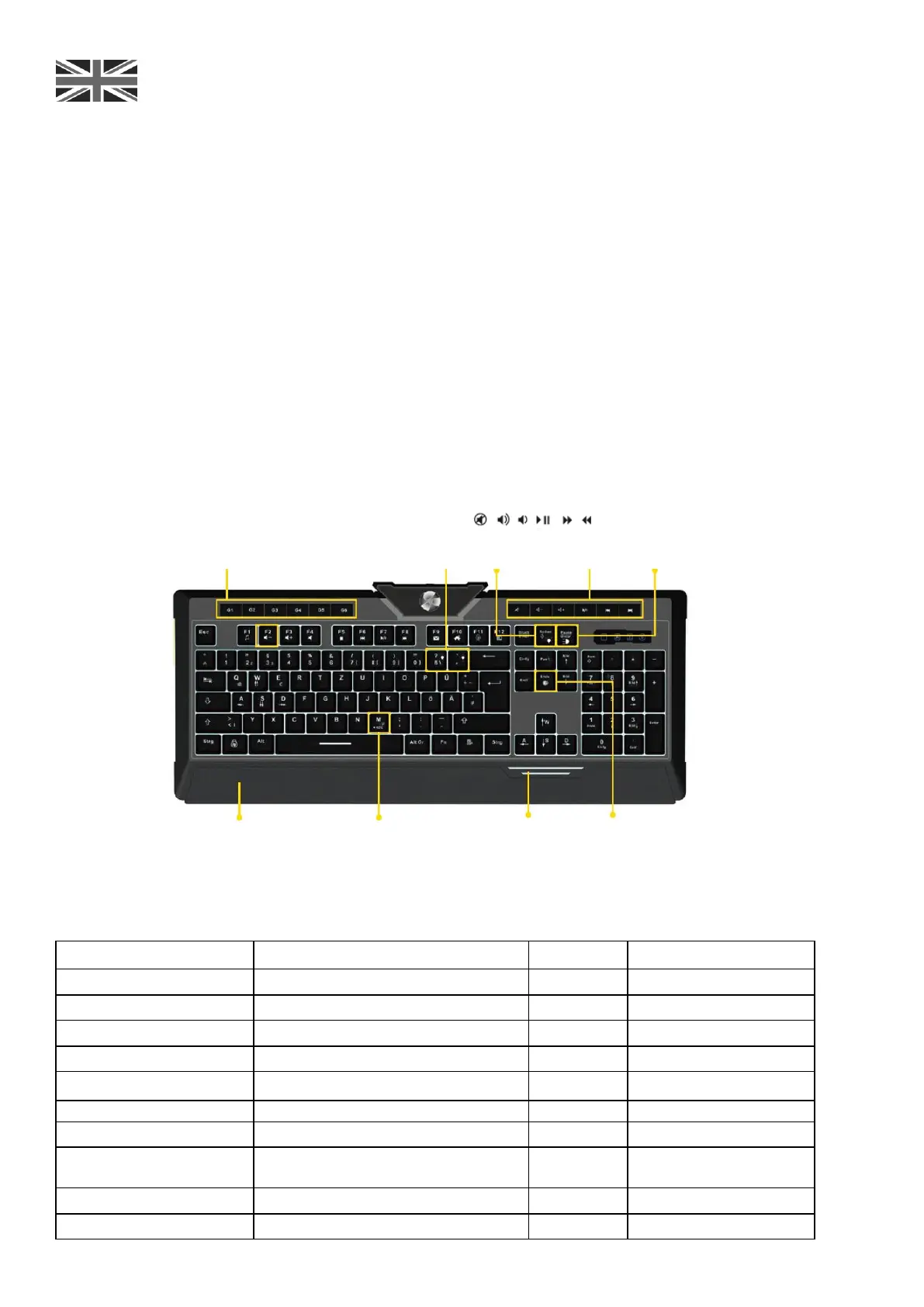
The INFINITY LED is equipped with 6 macro keys (G1-G6). These can be programmed anytime. Please
press the FN+M (Rec) key. The blinking Num Lock, Caps Lock, Rolling and Gaming symbols top right show
that the keyboard is now in macro mode. Now choose the requested macro key (G1-G6) - the 4 symbols
are now lit continuously: the keyboard is ready for recording. Now enter your requested key combination
(up to 24 characters) and press FN+M (Rec) again in order to end the recording. The control lamps now
light up 3 times and your macro is saved.
Anti-Ghosting Gaming Modus
To start the gaming mode of your T5 LED Keyboard please press FN + End.
Now you can press 26 keys at once without any of the commands getting missed.
Special key functions
Backlight
strength button
Backlight color
Switch button
Prevent slippery
technology
Advanced
technology of
backlight
Table of special key functions
LED colour changes dynamically
Switch on/off LED illumination
LED illumination brighter
Assigns WASD with cursor keys
FN + Delete
(hold for 5 sec)



 To Next Page
 Loading...