EN
Function operation
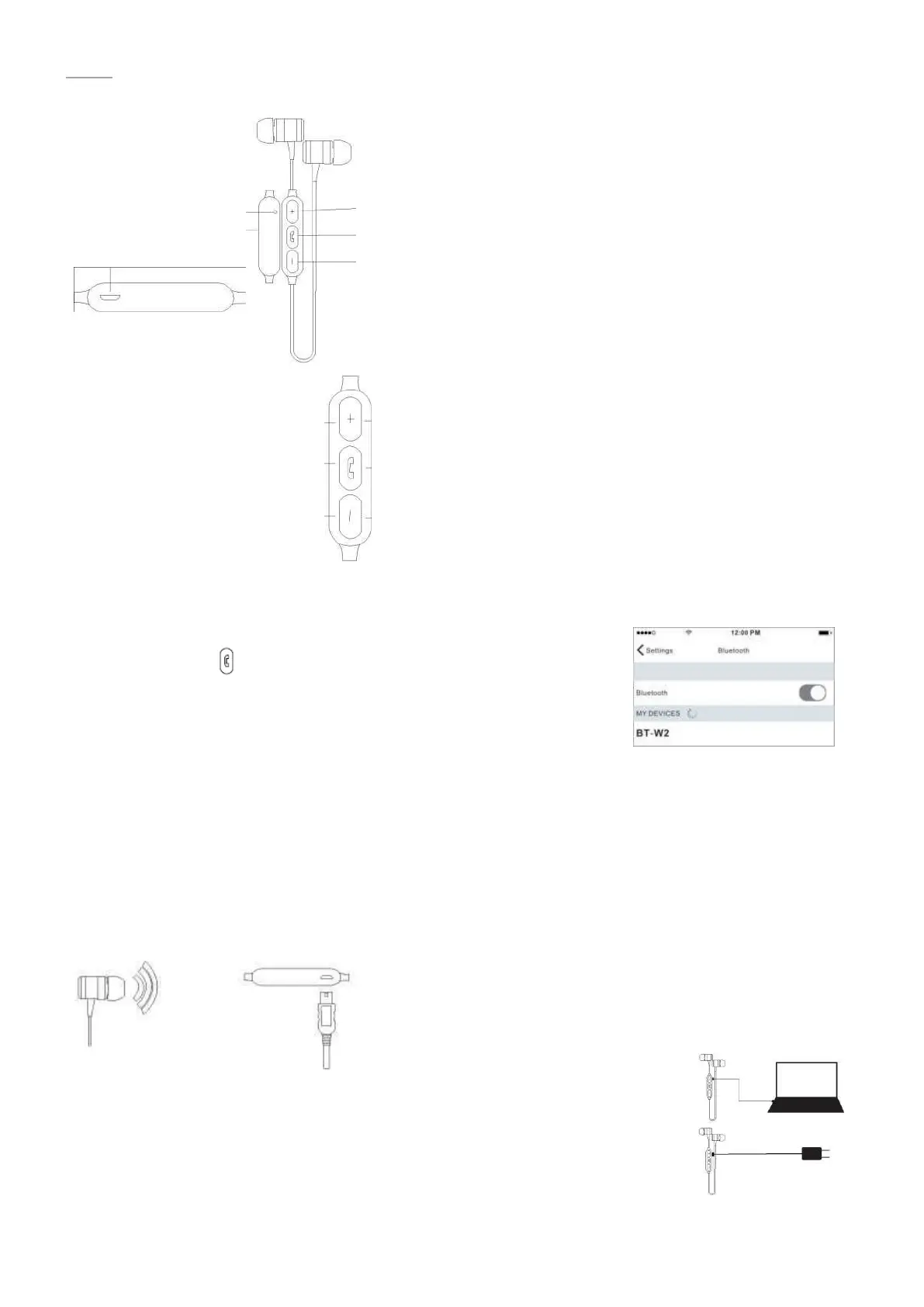
ON/OFF - Long press the function key 3 seconds enter on/off state.
Pairing state: red and blue light flash.
Bluetooth pairing - Open the phone Bluetooth search to URBAN click on the
connection can be (Connect successfully: the red and blue lights go out and
the working status of the blue light is lighting for 5 seconds).
Tone switch
1. When the headset is paired with phone, the distance is less than 1 meters.
2. If the pairing is not successful, then please turn off the headset, and then by matching steps to match the
connection again.
3. Automatic back Bluetooth headset automatically back to connect the last pair of connected mobile phone.
4. After the headset boot, not connected to other Bluetooth devices, 15 minutes after the automatic shut
down.
Charging equipment
Micro USB Charging
This matching is the mini USB port is located in the remote place; use the enclosed Micro
USB charging line links the machine to charge. About 2hours to complete the charge
Tips: please connect to the computer or the use of regular manufacturers to produce
certified chargers (5V/500mA) to charge.
Music Player
Single click - Volume Up
Long press 1 second: turn to the
next song
Single click - Play/Pause
Long press 3 seconds: enter to
power on/off status.
Single click - Volume down Long
press 1 second: turn to the last
song
Voice operation
Single click - Volume Up
Single click – Answer
Long press 1 second: Refuse to call
Single click - Volume Down
Volume +
Function key
Volume -
Low power alarm: prompt tone crops indicate that the
battery is less than 5%, the red and blue light flashes 1
time every 20 seconds.



 To Next Page
 Loading...