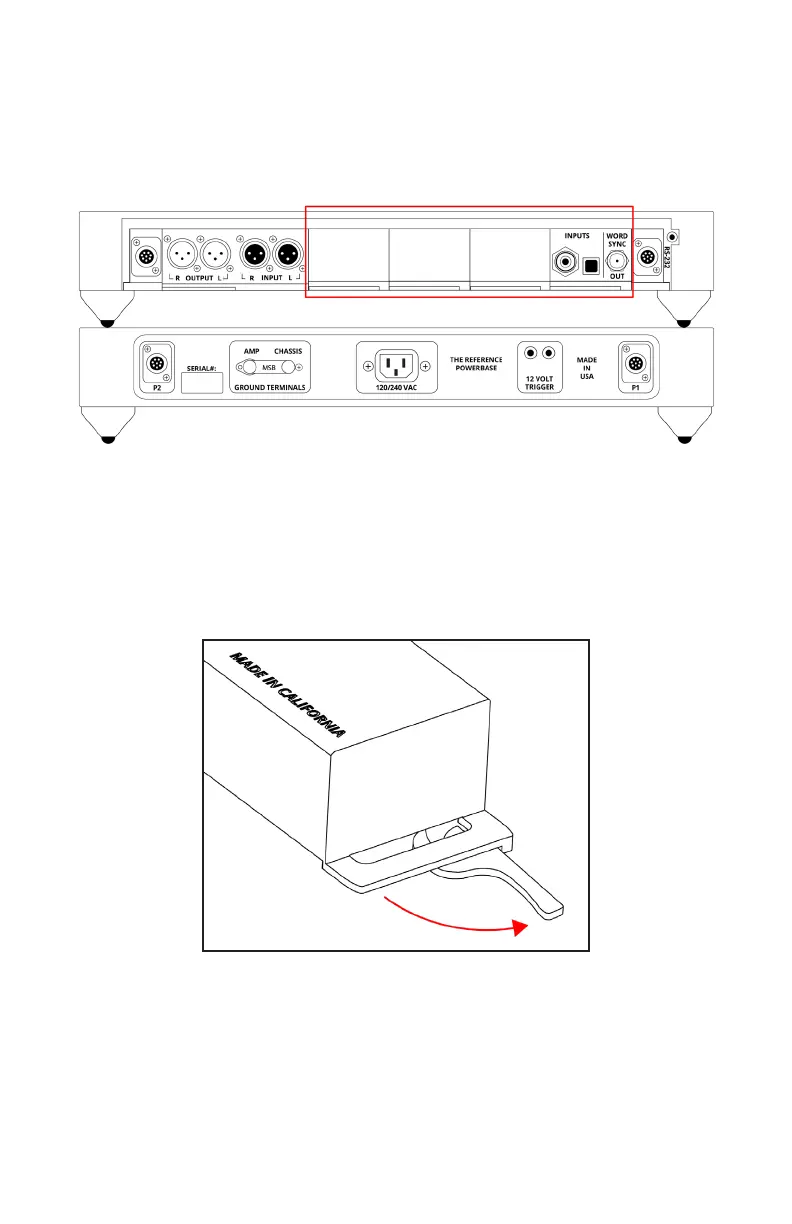
About the Four Input Module Slots
The DAC has four input module slots. They are labeled A through
D. Input modules can be placed in any position. Each module is
completely self contained. It is recognized by the DAC and identied
on the display. When the module is not in use it is disabled.
Removing and Installing Modules
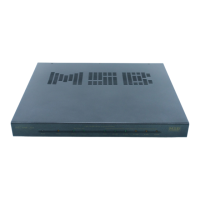
Removal and installation of modules is a tool-free process that is
easily performed at the back of the unit. Under the lower lip of each
module is a lever arm. Simply pull the lever out and away until it is
perpendicular with the back of the unit. Then gently but rmly pull
the module lip and lever until the module releases. Slide it out of the
unit. Refer to the “Module Handling” portion of your manual.
Module Handling
It is important that you refrain from touching the circuit board or
rear connector of any input or output module when removing or
installing any input or output module from your DAC. When handling
these modules it is important that you only contact the metal case
of the module or the front edge of the module where the cam arm is
located. Improper handling of your modules can result in static
shock and damage to the module or DAC.


 To Next Page