Step 4.
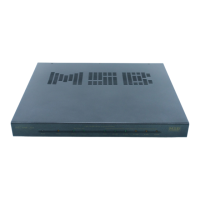
Connect all of your desired digital audio sources to the matching
digital inputs on your Reference DAC. The DAC will automatically
switch to any active digital input source. The Frequency of the
incoming digital source will be displayed on the unit when a source
has been switched to.
Step 3.
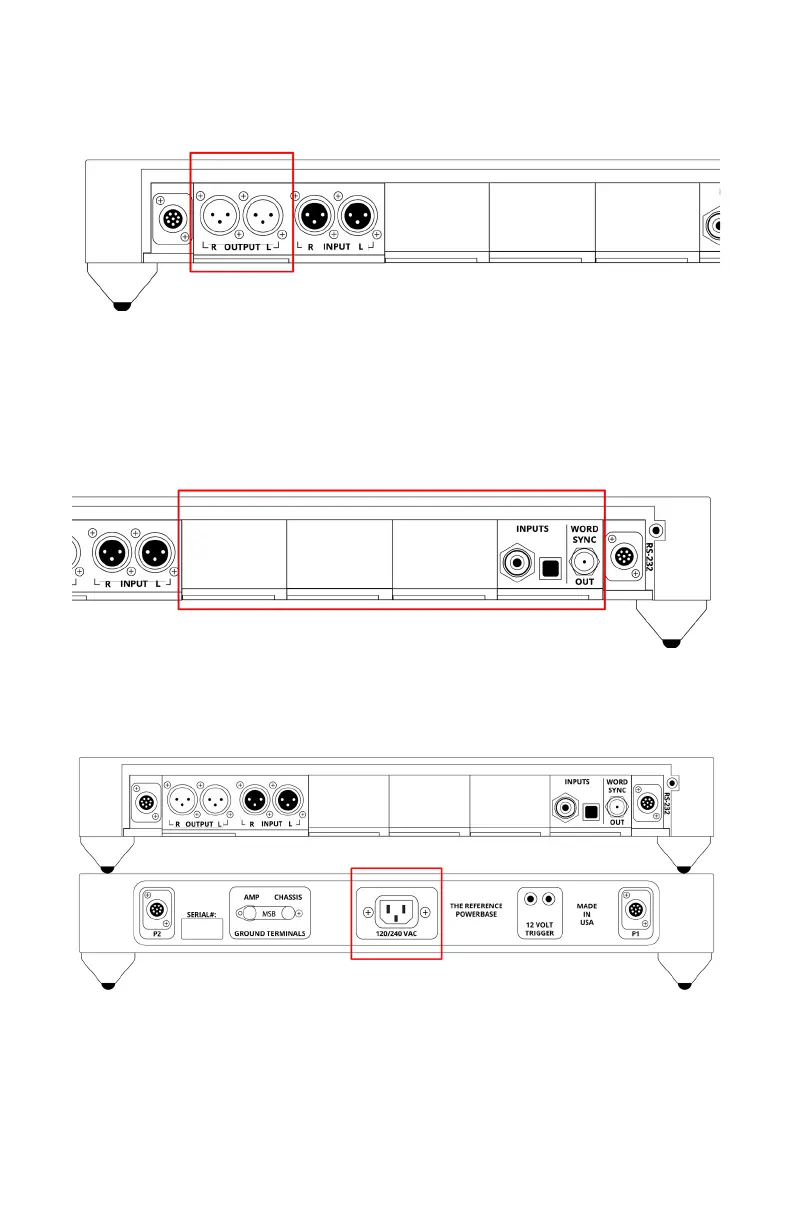
Connect the Analog outputs of your Reference DAC to the power
amplier(s) in your audio system.
Step 5.
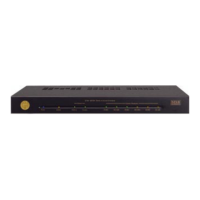
Connect the Reference Powerbase using the supplied IEC cable. The
unit will automatically switch to the required mains voltage.
Step 6.
Turn on your DAC using the button on the front of your Reference
Powerbase, play a digital audio le, and slowly turn up the volume on
your Reference DAC until you can hear music.


 To Next Page