3-8
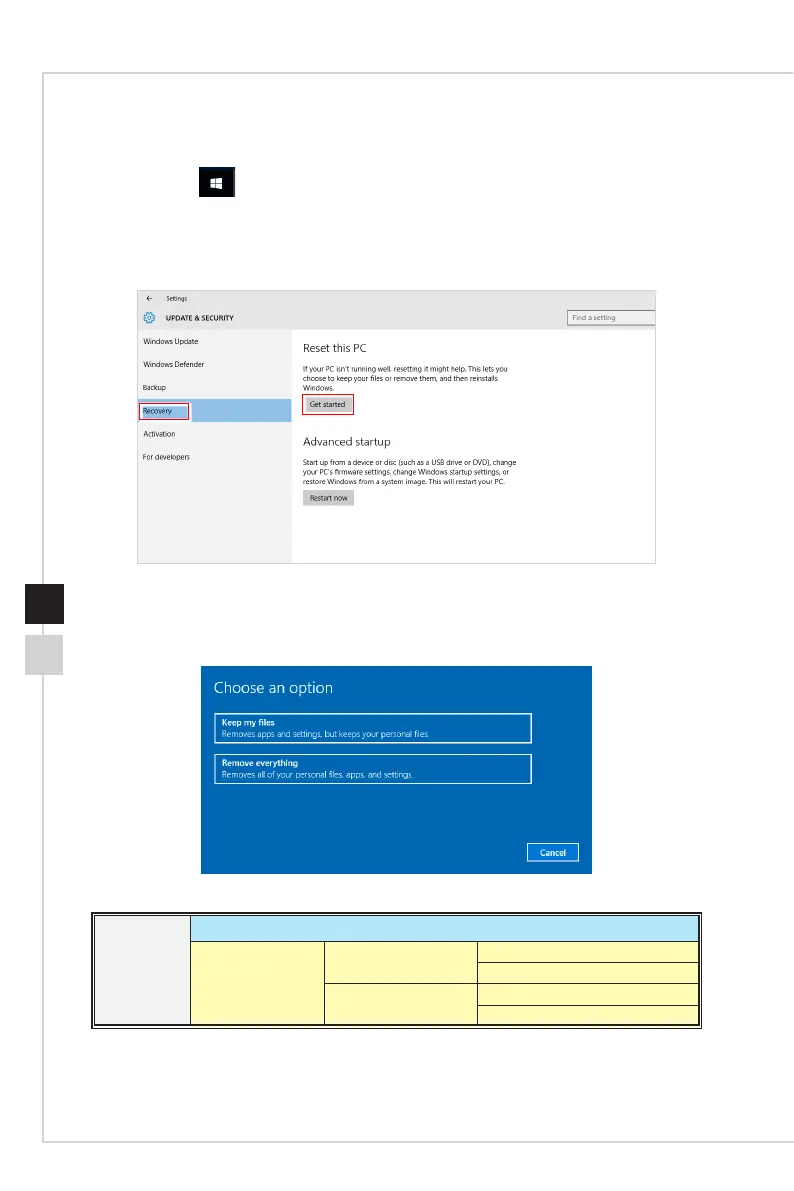
Reset this PC
1� Go to [Start] , click [Settings] and select [Update and security]�
2� Select [Recovery] and click [Get started] under [Reset this PC] to start the system
recovery�
3. The [Choose an option] screen pops up. Choose between [Keep my les] and
[Remove everything]�
Reset this PC
Keep my les
Remove everything
Only the drive where
Windows is installed
Just remove my les
Remove les and clean the drive
All drives
Just remove my les
Remove les and clean the drive


 To Next Page