3-22
Getting Started
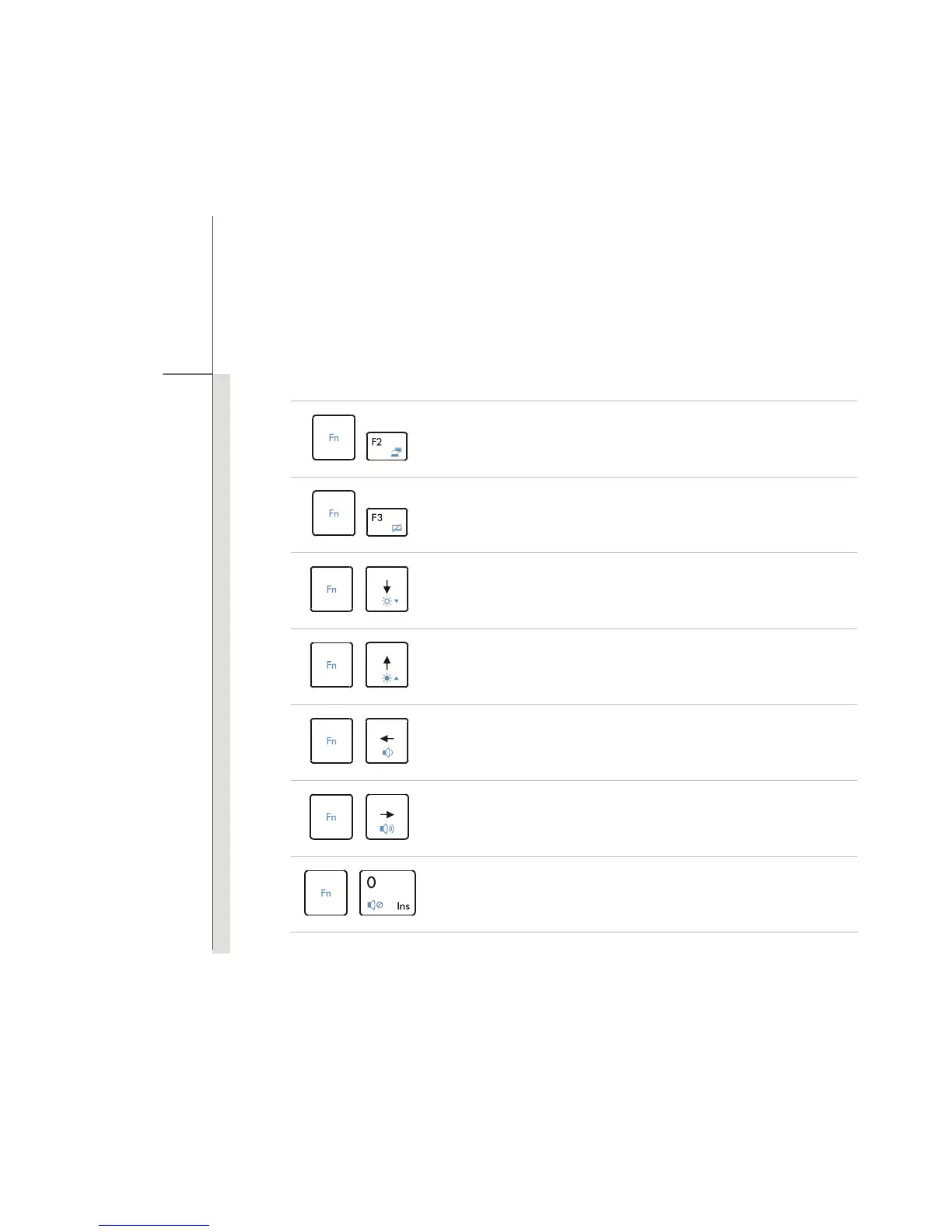
[Fn] Key
+
Switch the display output mode between the LCD, external monitor and
both.
+
Enable or disable the touchpad function.
+
Decrease the LCD brightness.
+
Increase the LCD brightness.
+
Decrease the built-in speaker’s volume.
+
Increase the built-in speaker’s volume.
+
Disable the computer’s audio function.


 To Next Page