How to Get Started
3-14 3-15
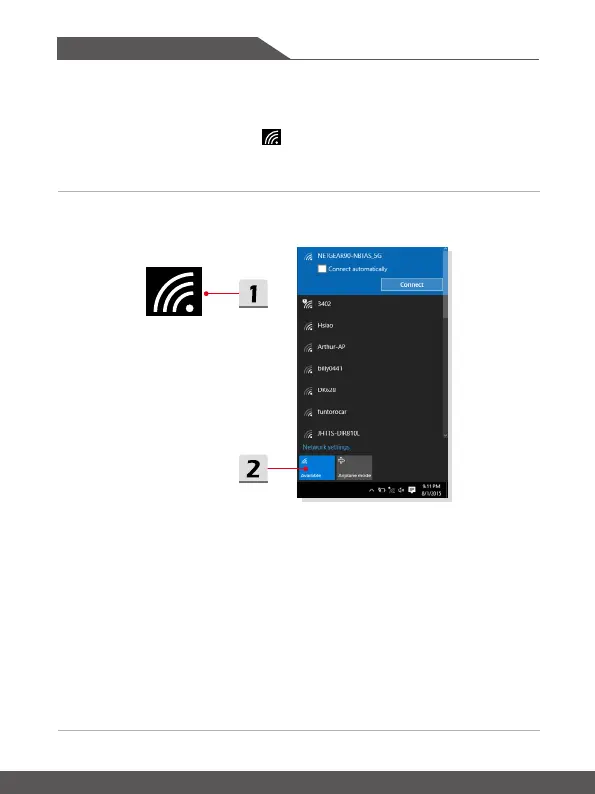
▶ Check the Wireless LAN status
When Airplane mode is enabled, Wireless LAN connection will be turned off. Before
setting up a Wireless LAN connection, make sure that Airplane mode is turned off.
1. Go to the desktop. Find the icon in the lower-right corner of the task bar and
click on it to unfold the settings menu.
2. Check if Wireless LAN mode is available in the Network settings.








 To Next Page