3-16 3-17
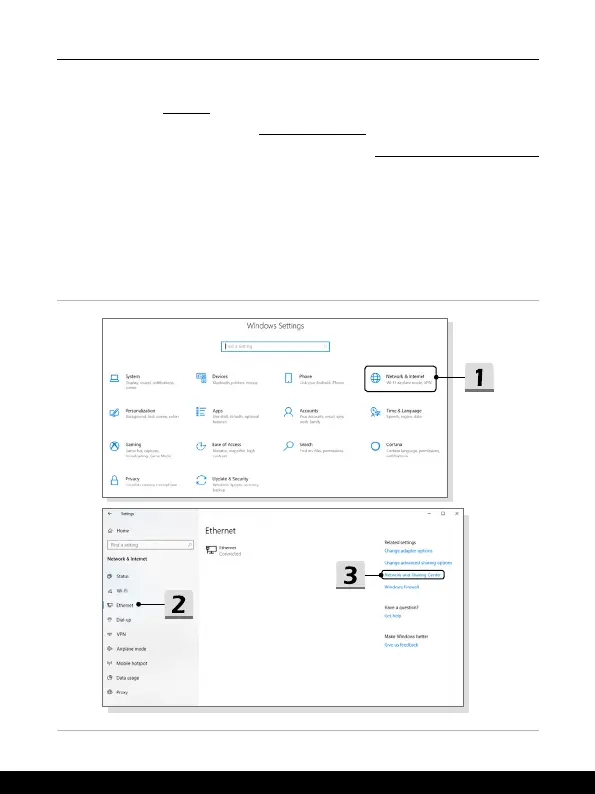
▶ Broadband (PPPoE) Connection
1. Open up
Settings
, find and click [Network & Internet].
2. Select [Ethernet] within the
Network & Internet
selection menu.
3. Select [Network and Sharing Center] to bring out
Network and Sharing Center
window.
4. Select [Set up a new connection or network] under [Change your networking
settings].
5. Select [Connect to the Internet] under [Choose a connection option], and then
click [Next].
6. Click [Broadband (PPPoE)].
7. Fill User name, Password, and Connection name fields. Then click [Connect].










 To Next Page