5
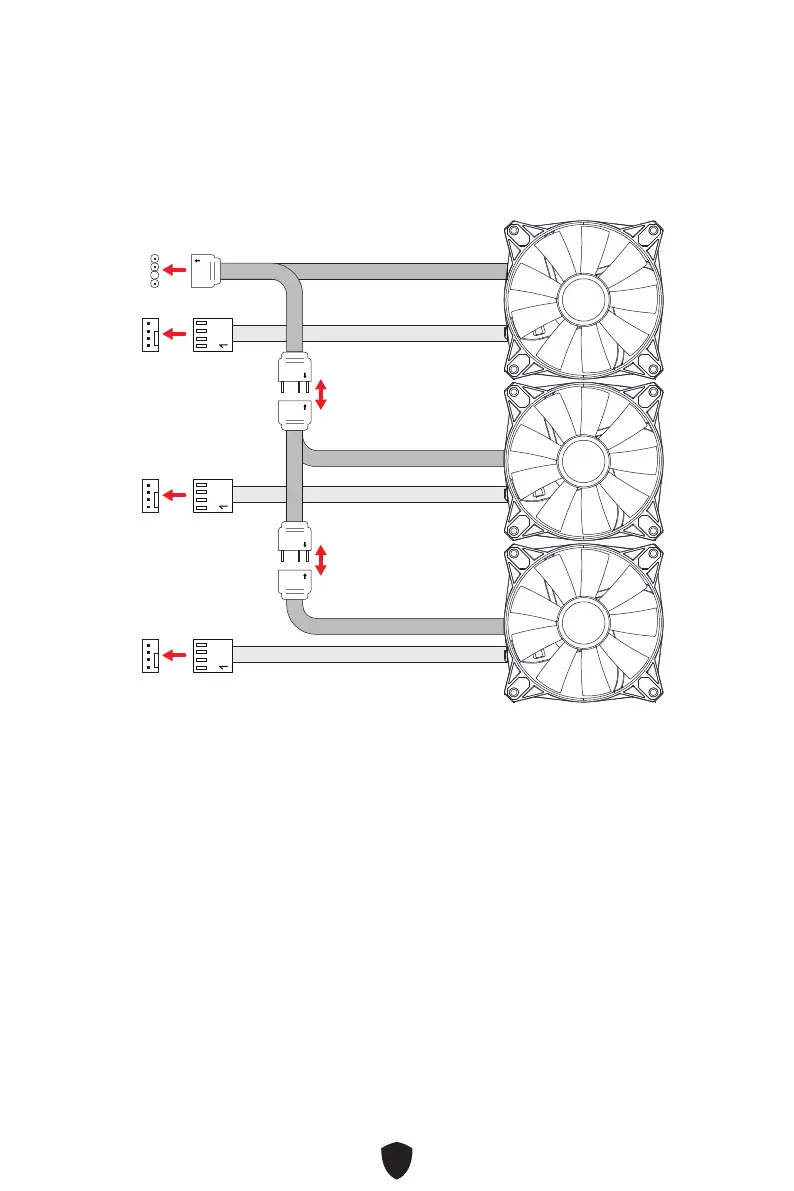
3. Locate a 4-pin PWM fan header on your motherboard or a fan controller. Connect
the fan’s 4-pin PWM connector to the corresponding header.
4. Locate an ARGB (JRAINBOW) header on your motherboard or an ARGB controller.
Connect the fan’s ARGB connector to the corresponding header. You can daisy-
chain them by connecting the output of one fan to the input of another, ensuring
synchronized lighting effects.
1
1
1
1
JRAINBOW (JARGB)
SYS_FAN (PWM)
SYS_FAN (PWM)
SYS_FAN (PWM)





 To Next Page