User’s Guide
47
Close a PIM Item Transfer Connection
This application closes the open connection automatically
when its task is complete.
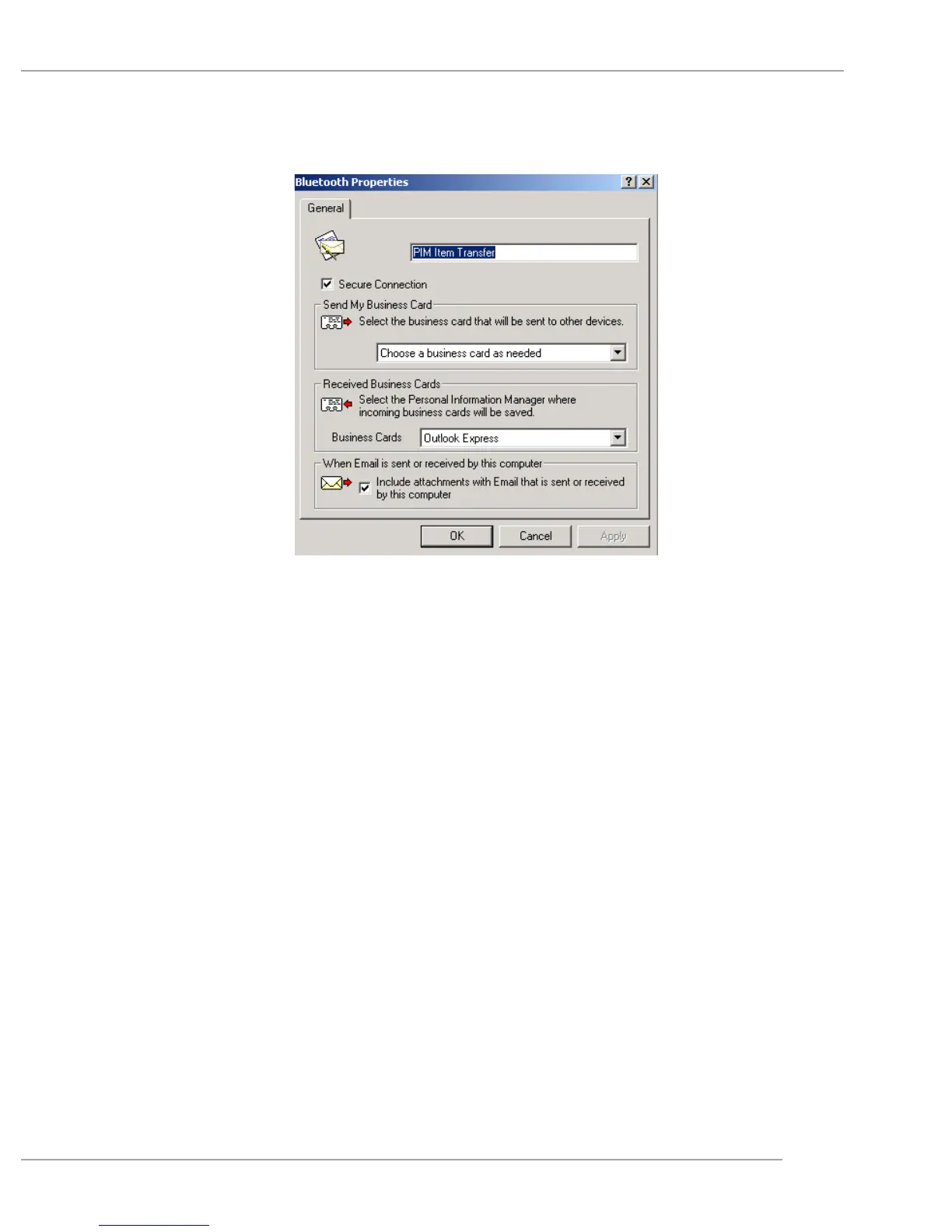
Configure PIM Item Transfer
The Bluetooth Configuration Panel > Client Applications >
PIM Item Transfer > General tab provides options to
configure:
The application name—to change it, highlight the
existing name and enter the new name.
Enable or disable secure connection. To enable secure
connection, place a checkmark in the box.
How your business card is handled when it is requested
by a remote device. The Send My Business Card op-
tions are:
Choose a business card as needed-each time a remote
device requests your business card you must select a card


 To Next Page