3-12
System Operations
▍
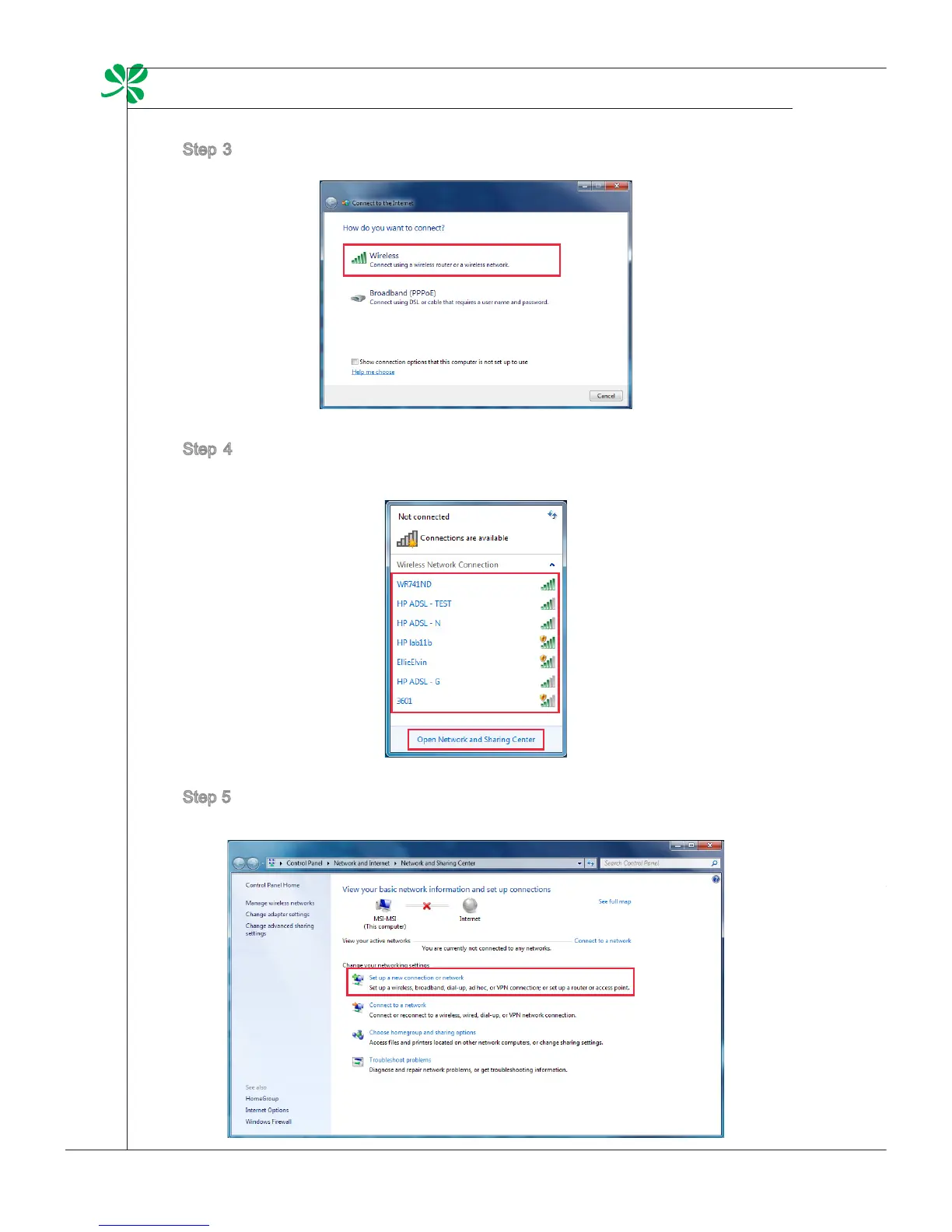
Step 3. Select [Wireless] to connect using a wireless router or a wireless net-
work.
Step 4. A list of available WLAN connections pops up. Choose a connection
from the list or click [Open Network and Sharing Center] to establish a
new connection.
Step 5. To establish a new WLAN connection, select [Set up a new connection
or network] in [Network and Sharing Center].
Step 6. Followingly, choose [Manually connect to a wireless network] and click
[Next] to continue.
Step 7. Enter information for the wireless network you intend to add and click
[Next] to proceed.
Step 8. A new WLAN connection has been made. Click [Close] to exit or select
[Change connection settings] to modify the WLAN settings.



 To Next Page