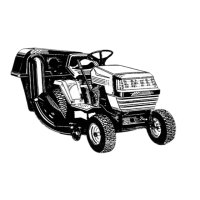
Auto-Drive CVT Drive System
57
Drive belt replacement
NOTE: The variable speed pulley system that drives this tractor counts on interplay between two belts:
• If one belt fails, replace both belts. One new belt and one partially worn belt will not work the same as two
new belts.
• Do not us any belt other than the correct OEM part number belt. This drive system counts on an unusual
cross-section shape of the belts. Use of a wrong belt will very likely cause the tractor not to drive properly.
• Check the tensioner pulley control rod adjustment after replacing belts.
1. Remove the mowing deck.
2. Set the park brake to release belt tension.
3. Remove the battery and battery tray by following the
procedures described in Chapter 4: Body Panels.
4. Remove upper (rear) drive belt: See Figure 5.47.
4a. Release the lateral spring that provides force
for the tension idler pulley.
NOTE: Use a rope or large bent nose pliers to unhook the
spring from the frame.
4b. Loosen the idler pulley from its bracket using a
1/2” wrench.
See Figure 5.48.
4c. Lift the pulley far enough to allow the belt to
clear the belt keepers.
The battery will be removed in this procedure. Review the Operator’s Manual and Chapter 7:
Electrical Systems for important safety information about handling batteries before proceed-
ing.
! CAUTION! CAUTION
Figure 5.47
Upper drive belt
Idler tension spring
Figure 5.48
Loosen pulley bolt
FOR DISCOUNT PARTS CALL 606-678-9623 OR 606-561-4983
www.mymowerparts.com


 To Next Page
 Loading...