Operation rule and techniques
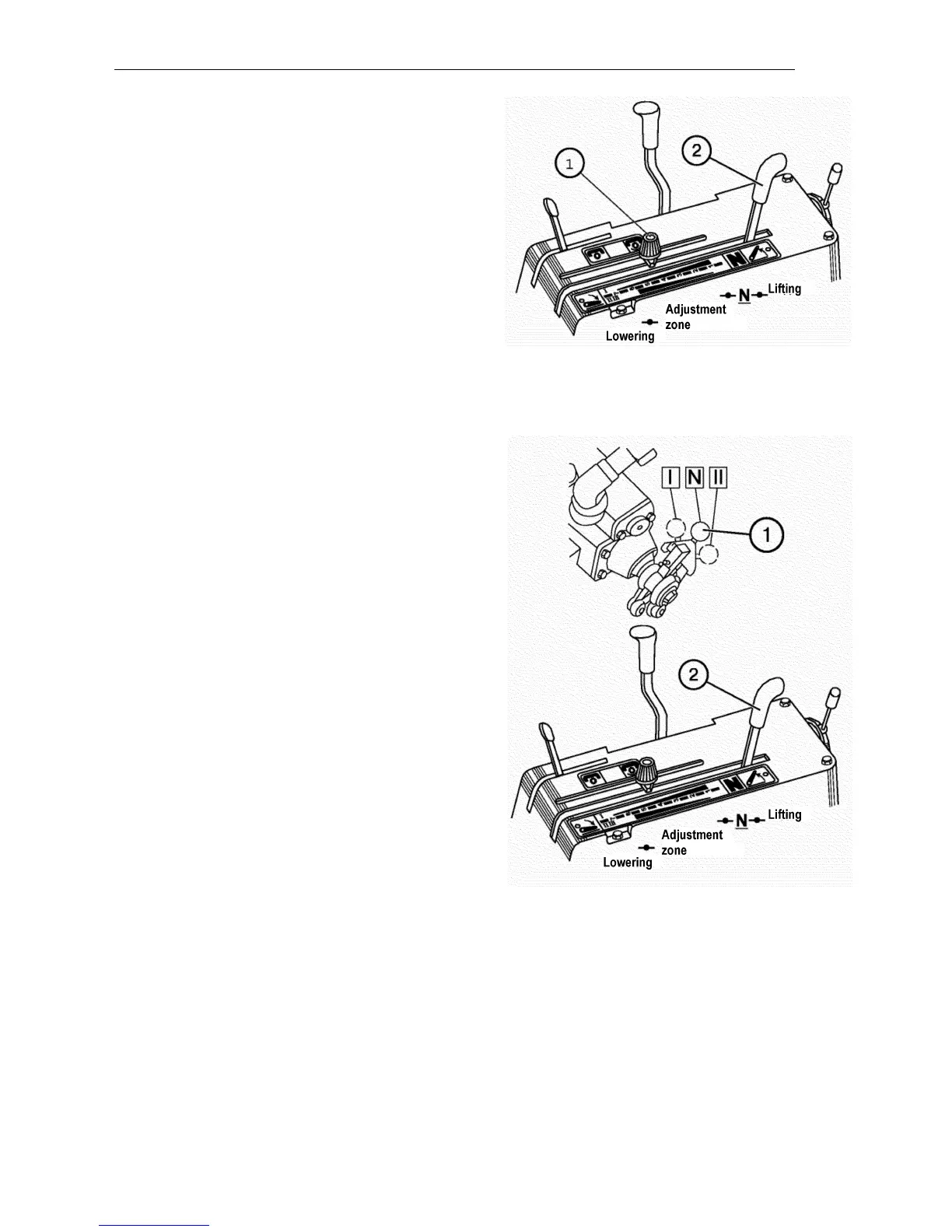
Set the mounted machine to the required
position. To lower it, push the handle (2)
forward. The farther the handle is pushed
forward, the lower the machine is. Having
set the machine to the required height,
move limiter (1) to the stop against the han -
dle and fix it.
To lift the machine to transport position at
the end of the run, pull the handle (2) to-
wards yourself to the stop. After lifting, the
handle shall return spontaneously to neu-
tral position.
Height control
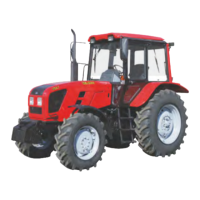
The height control can be used when unitiz -
ing the tractor with mounted machines fitted
with the support wheels. It is based on the
principle that the given tillage depth is en-
sured by setting a certain height of the sup-
port wheel of the agricultural machines unit-
ized with the tractor. When working in the
height control mode, set the switch (1) to the
middle position (N). To lift the machine, pull
the handle (2) towards yourself to the stop
and hold it until lifting is completed. When it
will be done, the handle shall return sponta-
neously to the neutral position “N”. To lower
the machine, push the handle (2) forward to
the control zone prior to machine descent.
It is forbidden to set the handle (2) to the
“forced lowering” position (forward to the
stop) when operating the mounted ma-
chines. Only use the forced lowering
when attaching the machine to the tractor
hitch. For forced lowering, push the han-
dle (2) to foremost position. After releas-
ing the handle, it must return to control
zone and hitch lowering must stop.



 To Next Page