144
www.multilaser.com.br
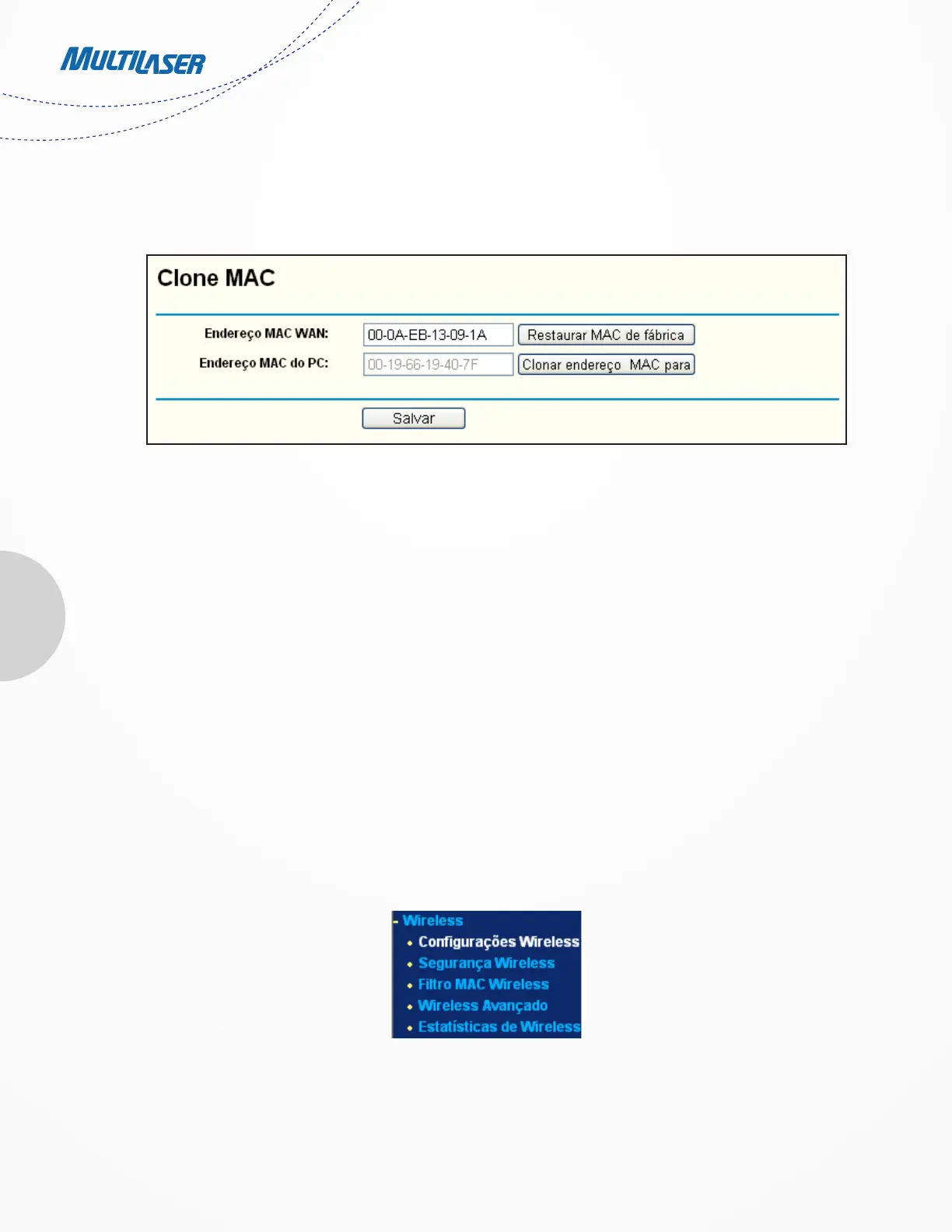
Choose menu “Network > MAC Clone”, you can configure the MAC address of the WAN on the screen below, Figure 4-14:
Some ISPs require that you register the MAC Address of your adapter. Changes are rarely needed here.
• WAN MAC Address - This field displays the current MAC address of the WAN port. If your ISP requires you to register the
MAC address, please enter the correct MAC address into this field in XX-XX-XX-XX-XX-XX format (X is any hexadecimal
digit).
• Your PC’s MAC Address - This field displays the MAC address of the PC that is managing the Router. If the MAC address
is required, you can click the Clone MAC Address To button and this MAC address will fill in the WAN MAC Address field.
Click Restore Factory MAC to restore the MAC address of WAN port to the factory default value.
Click the Save button to save your settings.
Note:
Only the PC on your LAN can use the MAC Address Clone function.
4.6 Wireless
There are five submenus under the Wireless menu (shown in Figure 4 15): Wireless Settings,
Wireless Security, Wireless MAC Filtering, Wireless Advanced and Wireless Statistics. Click any of them, and you will be able to
Figure 4-14 MAC Address Clone
Figure 4-15 Wireless Menu


 To Next Page
 Loading...