174
www.multilaser.com.br
• In Rule Name field, create a name for the rule. Note that this name should be unique, for example Rule_1.
• In Host field, select Host_1.
• In Target field, select Target_1.
• In Schedule field, select Schedule_1.
• In Action field, select Allow.
• In Status field, select Enable.
• Click Save to complete the settings.
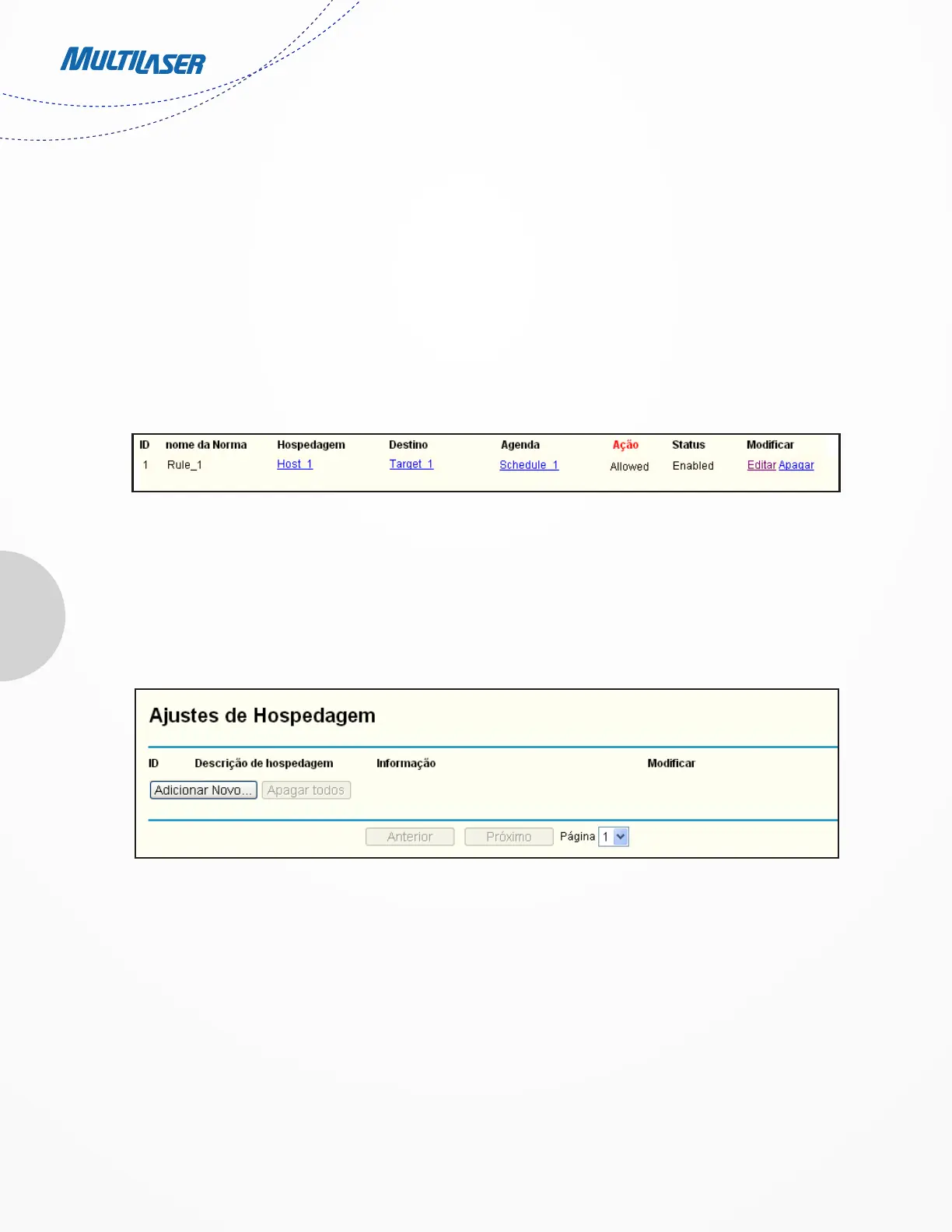
Then you will go back to the Access Control Rule Management page and see the following list.
4.11.2. Host
Choose menu “Access Control > Host”, you can view and set a Host list in the screen as shown in Figure 4-49. The host list is necessary
for the Access Control Rule.
• Host Description - Here displays the description of the host and this description is unique.
• Information - Here displays the information about the host. It can be IP or MAC.
• Modify - To modify or delete an existing entry.
To add a new entry, please follow the steps below.
ADD OR MODIFY INTERNET ACCESS CONTROL ENTRY
Figure 4-49 Host Settings


 To Next Page
 Loading...