187
www.multilaser.com.br
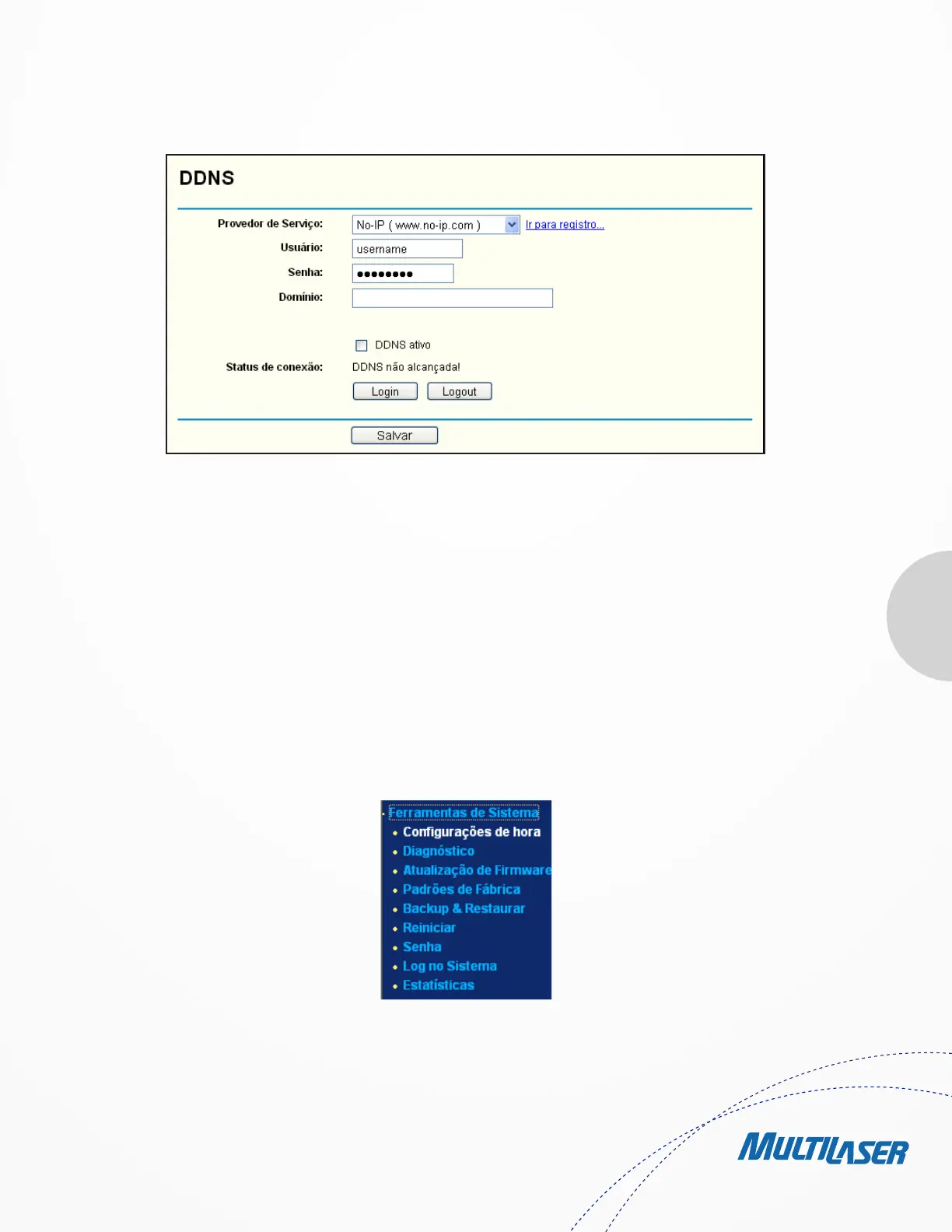
To set up for DDNS,
follow these instructions:
1. Type the User Name for your DDNS account.
2. Type the Password for your DDNS account.
3. Type the Domain Name you received from dynamic DNS service provider.
4. Click the Login button to log in the DDNS service.
Connection Status - The status of the DDNS service connection is displayed here.
Click Logout to log out the DDNS service.
4.16. Ferramentas de Sistema
Choose menu “System Tools”, you can see the submenus under the main menu: Time Settings, Diagnostic, Firmware Upgrade, Factory
Defaults, Backup & Restore, Reboot, Password, System Log and Statistics. Click any of them, and you will be able to configure the
Figure 4-69 No-ip.com DDNS Settings
Figure 4-70 The System Tools menu


 To Next Page
 Loading...