5
5.2.0 Warranty
Warranty for MULTIPICK KRONOS is two years from purchase date.
6.0.0 Using MULTIPICK KRONOS
6.1.0 Place battery
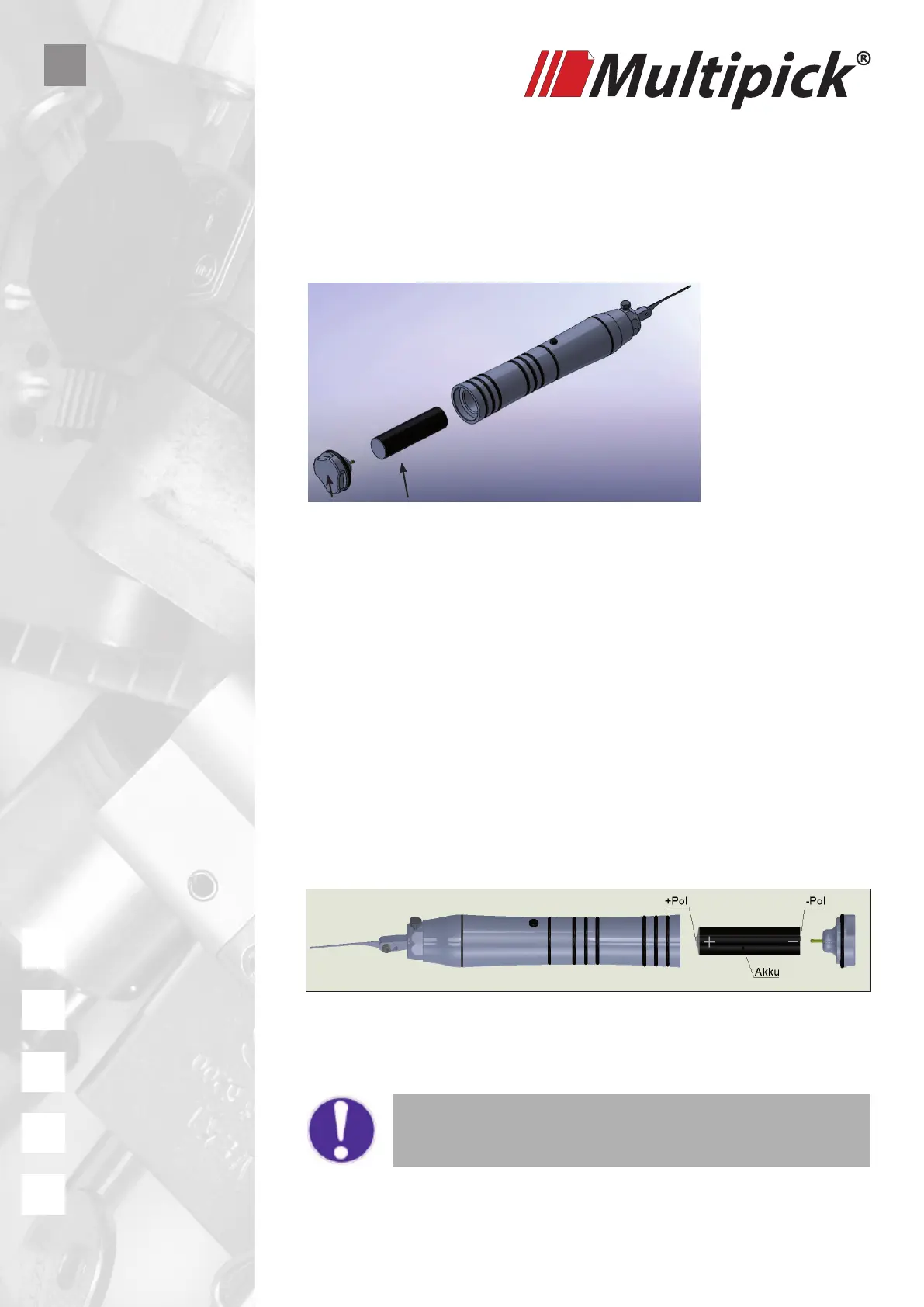
To place the battery you unscrew the screw cap. Now you may place the battery.
Take care of + and – pole. The positive pole must show inside the device. The
screw cap is the negative pole.
To place the battery (2) please proceed as follows:
1. Unscrew the screw cap with the battery contact (1).
2. Insert the Li-Ion battery (2).
3. Screw on the screw cap (1), ready.
• Use only protected LI-Ion (Lithium-Ion) batteries.
• Do not use batteries which show damages (deformations).
1 2
Conrm the positive and negative battery
terminals are oriented correctly.
+++ Attention +++



 To Next Page