Profi – Mixers
4 - Control Mixers
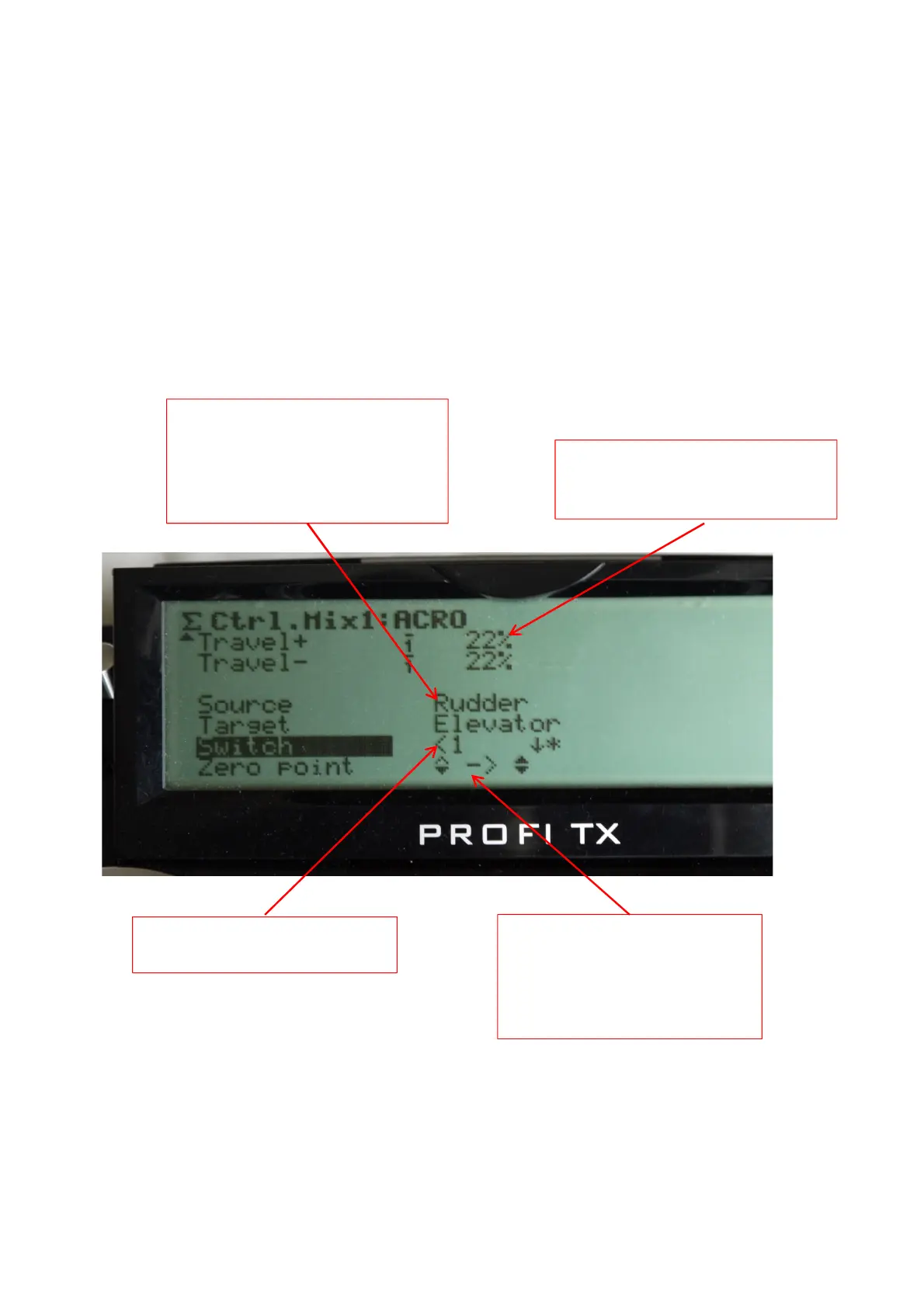
The amount of mix input in each
direction, can be specified, note
these can be flight phase specific
In addition to the other mixers the Profi provides two control mixers
and these are found in the Mixer Menu (GHI3) as Ctrl. Mix 1 and Ctrl.
Mix 2, entering these brings up the screen where the controls to be
mixed can be specified and set up.
The mix can be on a switch if
required
The source and target controls are
specified, here rudder is the
source and will have effect on the
elevator, i.e. to keep the model
flying straight in knife edge.
The zero point of the mix,
either symmetrical as shown
here acting around the centre
point or single sided acting
from one side can be specified



 To Next Page