Page
of
Call the AVPro Team at –North America 877-886-5112 International +1-605-274-6055
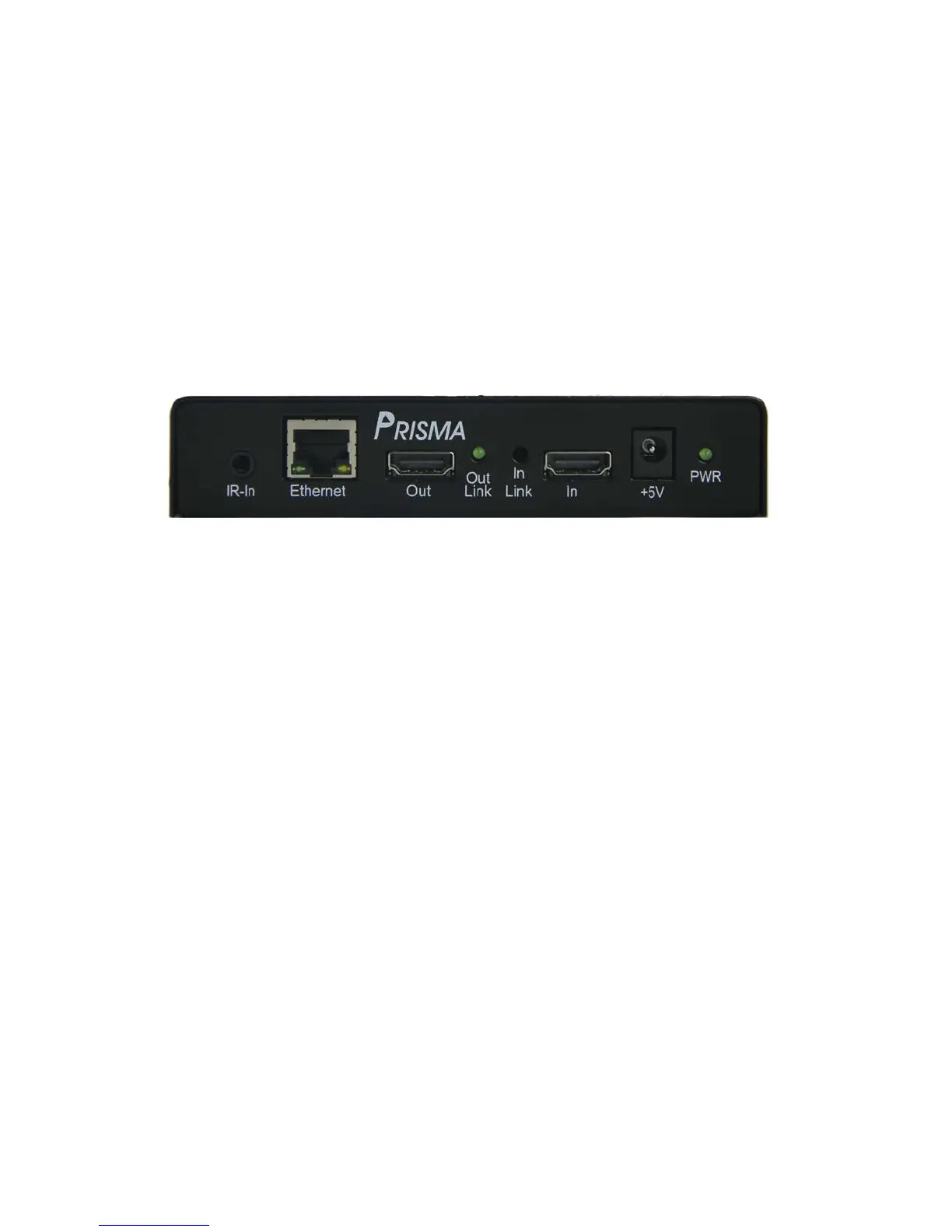
1. IR-In - connect supplied IR receiver if you plan on using the supplied remote control
2. Ethernet - connect supplied Ethernet cable to the local network with DNS server (your
home network).
3. Out - connect HDMI cable between out port and display.
4. Out Link – indicates a display is detected.
5. In Link – indicates a source is present.
6. In – connect output of source to In port
7. +5V – connect supplied wall wart between wall outlet (110-240V) and Prisma
8. PWR – indicates power is present.


 To Next Page
 Loading...