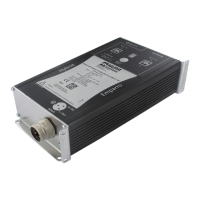
MASI65-M12 User's Manual
V 1.1 23
2.7 System configuration
The system setup is established during the configuration phase ; the master must be used in configura-
tion mode. In this mode, the master automatically recognizes the slaves connected to the bus. The fea-
tures of the system, the "ID-Code" and "I/O-Code" as well as the slave addresses are stored by the mas-
ter.
In case of system extensions that are not in conformity with the AS-Interface
specifications, it is possible that some slaves are not detected by the master.
As soon as the whole system is configured and the master is operating in "Protected mode"
the differences in relation to the configured system can be automatically detected by the master (e.g.
slave failures, damaged bus cable or system extensions).
System configuration can be performed by an addressing device or directly via the master. The configura-
tion procedures are different according to the selected mode.
2.7.1 Configuration with an AS-Interface addressing device
• Address the slaves with the addressing device.
(For slaves with an addressing plug, this operation can be performed after step ‚).
‚ Install the slaves and connect them to the system cable.
ƒ Switch the master into configuration mode (ÄMaster user's manual).
„ Check if all the slaves have been detected and stored into the LDS list (List of Detected Slaves),
(ÄMaster user's manual).
… Configure the system (ÄMaster user's manual).
† Switch into protected configuration mode (ÄMaster user's manual).
‡ Check the master displays. The display of configuration errors must not be enabled.
(ÄMaster user's manual).



 To Next Page
 Loading...