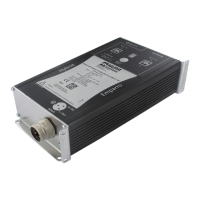
MASI65-M12 User's manual
38 V 1.1
4.5 Addressing device connection
Each slave must be addressed before using the AS-Interface system. For this purpose, use a manual
addressing device
6
or the master (online). Refer to the corresponding procedure.
4.5.1 Addressing interface for MASI65-M12 modules
Modules are fitted with a specific plug for addressing devices. When inserting the addressing link, the
module is automatically cut from the field bus for as long as it is connected to the addressing device. This
way addressing is possible even after the system set-up and the connection of the field bus cable to the
AS-Interface.
To be able to address a MASI65-M12 module, remove the M12 cap from the addressing plug (8).
Connect the addressing device to the addressing plug of the module.
Refer to the device instructions to address the slaves.
Possible addresses for standard AS-I slaves are : 1 to 31 or 1A to 31A.
Slaves are provided with the default address 0.
8
“ : Adressing plug
Fig 4-12 : Interface for MASI65-M12 addressing device
Module addressing with a manual addressing device requires no auxiliary supply.
6
Addressing device Art. No 55 696



 To Next Page
 Loading...