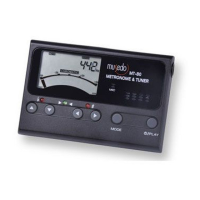
MT-80
A4,TEMPO
①
②
③
④
⑤
⑥
⑦
①
②
③
④
⑤
⑥
⑦
SPEAKER
①
②
③
①
②
③
Owner's manual
Thank you and congratulations on your
purchase of the Musedo Metro-tuner
MT-80. Please take the time to read
through this manual to ensure you get
the best from your tuner.
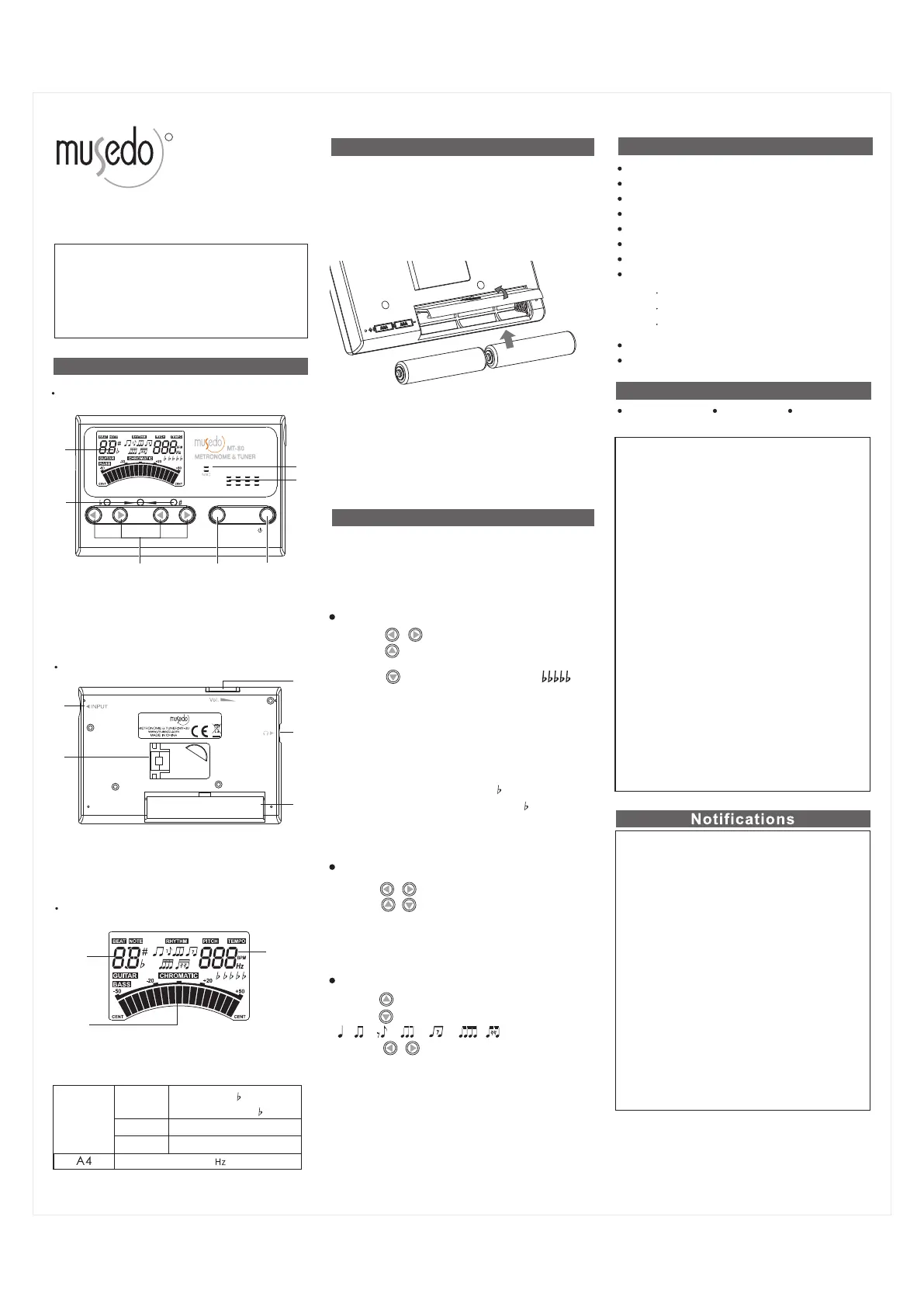
Product Interface
LCD SCREEN
LED INDICATOR
MIC
PARAMETER
ADJUST
POWER/PLAY
MODE
Tuning scale:
Tuning mode: LINE IN/MIC
Tuning range: A (27.50 Hz) ~C (4186 Hz)
0 8
Calibration: 430 ~ 450Hz (1Hz steps)
Precision: ± 1 cent
Response Time: <20 ms
Power: 3V
Power consumption:
Dimension: 100 (L) x 63 (W)X 19 (H )mm
Weight: 70 g
(2XAAA)
★Perchlorate Material-special Handling
May Apply.
Chromatic、Guitar、Bass
CE mark which is attached to our
company's products of AC mains
operated apparatus until December 31,
1996 means it conforms to EMC Directive
(89/336/EEC) and CE mark And, CE mark
which is attached after January 1, 1997
means it conforms to EMC Directive
(89/336/EEC),CE mark Directive (93/68
/EEC) and Low Voltage Directive (73/23
/EEC).Also, CE mark which is attached
to our company's products of Battery
operated apparatus means it conforms
to EMC Directive (89/336/EEC) and CE
mark Directive(93/68/EEC).
CE mark for European
Harmonized Standards
This product has been manufactured
according to strict specifications and
voltage requirements that are applicable
in the country in which it is intended that
this product should be used. If you have
purchased this product via the internet,
through mail order, and/or via a telephone
sale, you must verify that this product is
intended to be used in the country in
which you reside.
WARNING: Use of this product in any
country otherthan that for which it is
intended could be dangerous and could
invalidate the manufacturer's or
distributor's warranty.
Please also retain your receipt as proof
of purchase otherwise your product may
be disqualified from the manufacturer's
or distributor's warranty.
IMPORTANT NOTICE TO CONSUMERS
Specifications
Installing the batteries
The display includes a batteries icon to show
the relative charge in the batteries. When the
batteries icon is empty, the LCD will become
dim. Please replace the batteries as soon as
possible.
Open the battery cover in the direction
shown until the compartment opens. Pop
the batteries out, replace with a new ones
and slide the cover until it locks.
Pay attention to polarity.
Operation
Tuning mode: < 5mA
Metronome mode < 50mA
Tone Generator< 60mA
LCD Interface
ACCURACY INDICATOR
NOTE NAME,BEAT NOTE,
Front face
Metro-tuner
430~450
LB、 4E、 3A、 2D、 1G、 HC
6E 、5A 、4D、 3G、 2B、 1E
Guitar
Bass
Chromatic
、 、 、 、 、 、
The default mode is Chromatic mode.
generator or metronome;Press and
hold POWER to turn on/off .
Press MODE to select tuner、tone
1.Press , to adjust A4:430~450Hz
2.Press to select :C(Chromatic),
G(Guitar),B(Bass)
3.Press to set flat tuning:N/A~
(only for Guitar,Bass)
4.Use built-in MIC pickup or Input jack.
5.The middle green LED lights up when
the note is in tune; the left red LED
means flat and the right red LED means
sharp.
6.Note detection:
Chromatic:C、C# 、D、E 、E、F、
F#、G、G#、A、B 、B
Guitar: 6E、5A、4D、3G、2B、1E
Bass: LB、4E、3A、2D、1G、HC
Tuner
1.Press , to adjust A4:430~450Hz;
2.Press , to select the notes for
reference:2A~6A;
3.Press PLAY to start/stop playing the
selected note.
Tone Generator
1.Press to adjust the BEAT:0~9;
2.Press to select the RHYTHM:
3.Press , to adjust TEMPO:
30~280bpm;
4.Press PLAY to play/stop.
Metronome:
Back face
①
①
②
③
④
⑤
②
③
④
⑤
BATTERY COVER
INPUT JACK
STAND
VOLUME
EARPHONE JACK
Accessories
User manual
QC mark
3V (2XAAA)
R
C、C# 、D、E 、E、F、
F#、G、G#、A、B 、B
/
PLAY
MODE
Tuning
scale


 To Previous Page
 Loading...