- 4 -
IN 220 V
OUT 220 V
FREQ 50.3Hz
LOAD 103 %
BATT 100 %
LINE
OFF
ON/
1
2
3
4
5
6
7
8
!
ON
OFF
In
Out
100%
80%
60%
40%
20%
0%
Hz
Frequency
170
150
Line
Inverter
220
215
210
205
200
190
V V
OF F ON
10
9 8
1
2
3
4
5
6
7
190
200
Yellow-green cable:
Connecting the ground
Red cable:
Connecting positive pole
Black cable:
Connecting negative pole
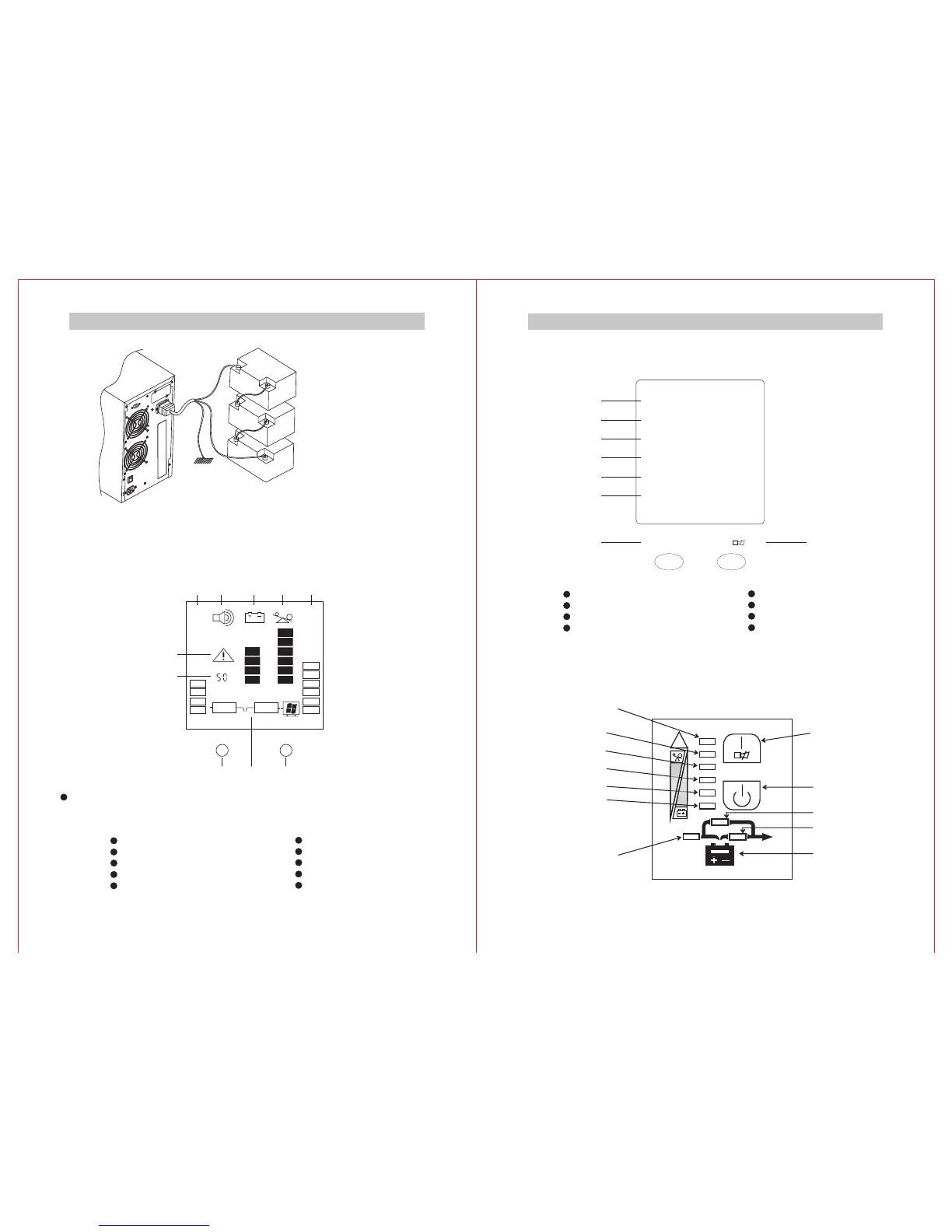
Connecting layout of Extended-time
Battery(Take C1KS for example)
5.Panel lndication
1)Two designs of LCD display
①.Design 1
Press continuously the key”ON” in the front panel and
then ups will start up. Press continuously the key “OFF”
in the front panel and then UPS will shut down.
Power switch:
1.Output Frequency
2.Alarm or Fault
3.Input Voltage
4.Sounding Alarm Allowed
5.Battery Capacity Percentage
- 3-
6.Load Percentage
7.Output Voltage
8.Turn-on Voltage
9.Running Mode
10.Turn-off Key
1.Iutput
2.Output
3. frequency
4. percentage
voltage
voltage
Output
Load
5.Battery capacity percentage.
6.Running mode
7. key
8.
Turn-off
Turn-on key
Start-UP and Alarm
Relieving Button
2)LED Display
②Design 2(8-shaped Tube)
Shut-down Button
Bypass Indicator
Invertor Indicator
Battery Indicator
Fault Indicator
Indicator 5
Indicator 4
Indicator 3
Indicator 2
Indicator 1
Main Indicator


 To Previous Page
 Loading...