
 Need help?
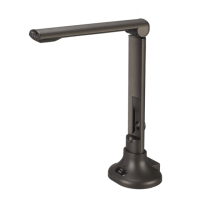
Do you have a question about the Mustek MCS-510 and is the answer not in the manual?
Connect the product via USB cable; the LED indicator lights up. Install software from CD-ROM.
Details the necessary hardware and OS specifications for running the CamScanner software.
Guides users through the process of installing the CamScanner software from the CD-ROM.
Interface for capturing images or performing live presentations, with 5 control areas.
Configures camera settings, file type, quality, resolution, and saving paths.
Interface for editing images, featuring Top functions, General, Effect, and Image information areas.
Offers functions like Deskew, Photo Correction, Rotate & Flip, and Crop for image enhancement.











 To Next Page
 General