Y\
Unicorn Information System
Chapter 4: Connecting Mvix to a Network
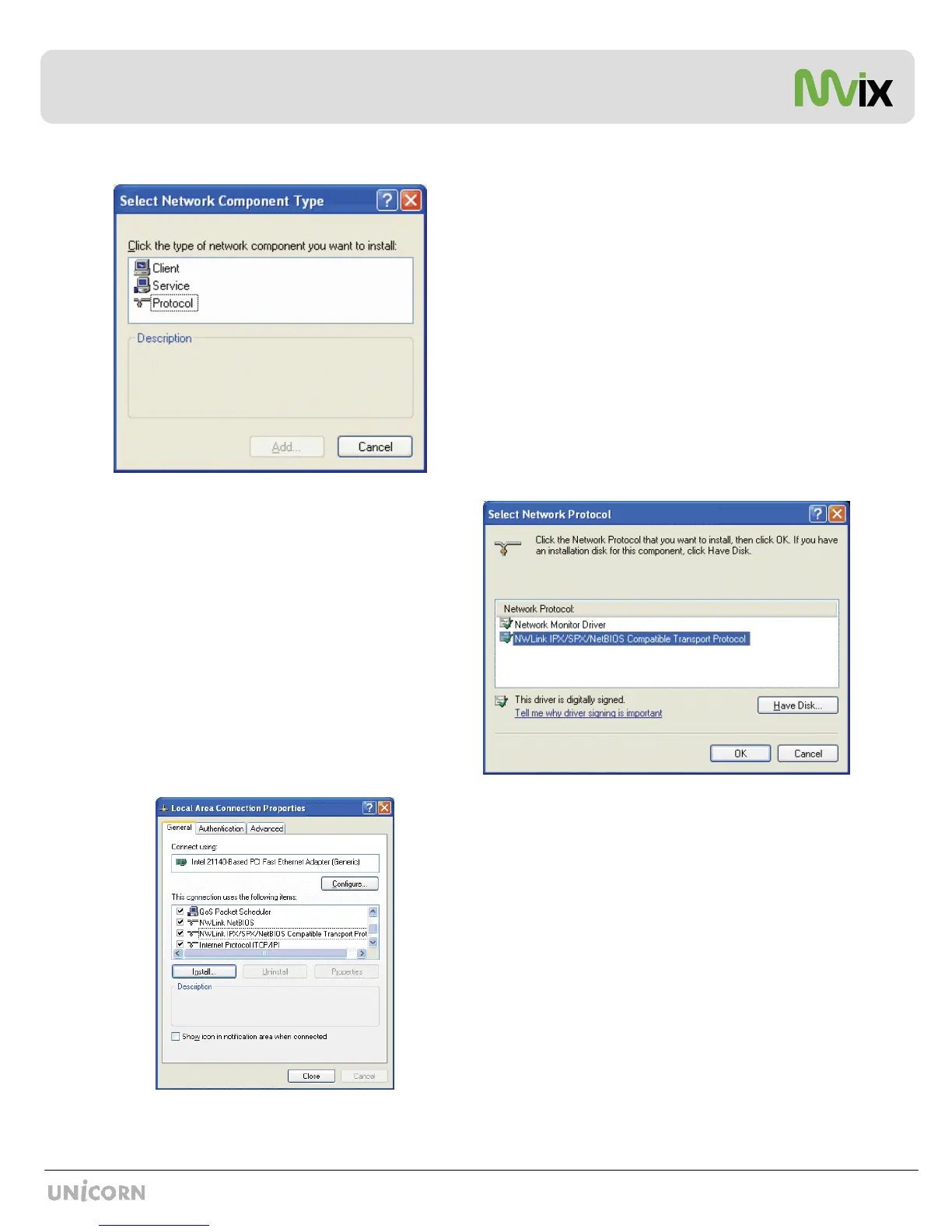
As shown, two NWLink items are added to the connection's
Properties.
Verify that the NWlink protocol has been installed and click
CLOSE.
Select Network Protocol Window opens up as shown here.
Click the NWLink IPX/SPX/NetBIOS Compatible Transport
Protocol and click OK.
Two NWLink items are added to the connection's Properties
Click / Select PROTOCOL and Select ADD


 To Next Page