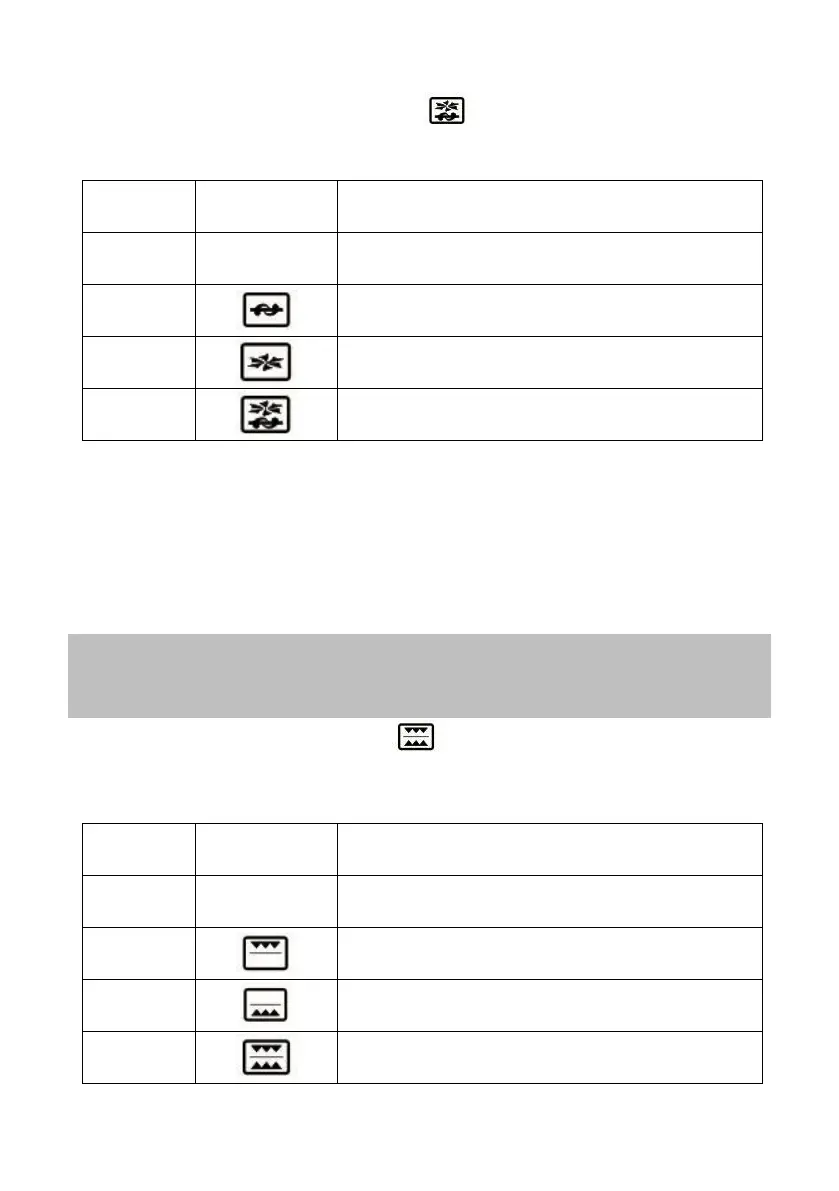
Operating mode selector (FUNCTION )
This selector you can select the operating mode of convection system and
rotisserie. Refer to the following table:
Operation of the oven in the
conventional mode
Operation of the oven in the conventional
with rotisserie
Operation of the oven in the convection mode
Operation of the oven in mode convection
with rotisserie
Depending on the selected mode (rotisserie, convection or both), the
corresponding indicator lights (2 and 4) will light up.
Temperature selector (TEMP)
Choose between a temperature range of 90 to 230°C, depending on the food to
be cooked. Turn this control in the sense clockwise to increase the temperature
and counterclockwise to decrease temperature.
Note:
The oven takes time to reach the set temperature, so it is recommended
"preheat" the oven before introducing the food.
Selector heating rods (FUNCTION )
This switch activates or deactivates the upper and lower heating rods, has 4
positions which are indicated in the following table with the function they
perform:
FUNCTION PERFORMING THE OVEN
Only the upper heating rods are on - heat at
the top
Only the lower heating rods are on - heat at the
bottom
The upper and lower heating rods are on - heat
at the top and bottom


 To Next Page