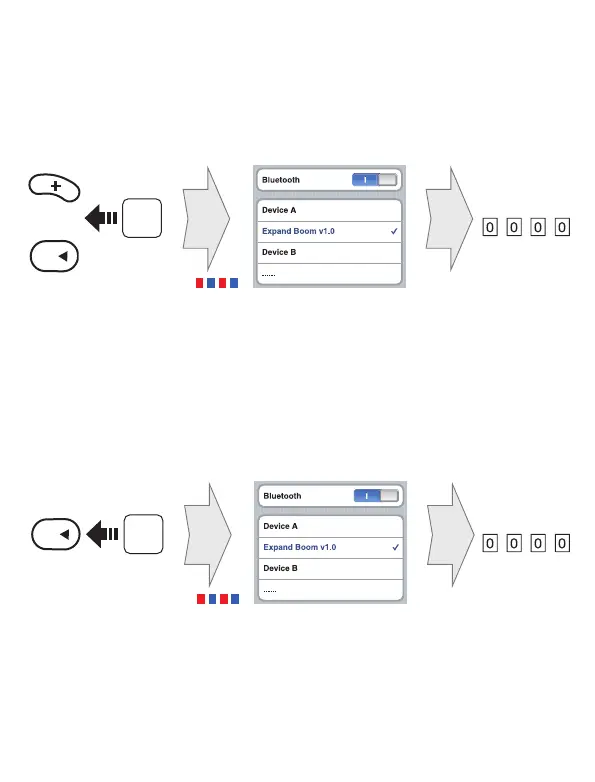
Phone Pairing When the 2Talk Headset is Turned Off
Press and hold the Center Button and (+) Button for 5 seconds when
the 2Talk Headset is turned off. You will hear "Phone Pairing".
Select Expand Boom
5”
Press
LED
Enter
PIN
+
Phone Pairing When the 2Talk Heaset is Turned On
Press and hold the Center Button for 8 seconds when the 2Talk
Headset is turned on. You will hear "Phone Pairing".
Select Expand Boom
8”
Press
LED
Enter
PIN
Note: Once the headset is initially paired it will connect automatically
with the previous paired phone when both are turned on.
6


 To Next Page