
 Need help?
Do you have a question about the MYPIN PET0108 and is the answer not in the manual?
Details the function and limitations of the backup battery for the pet feeder.
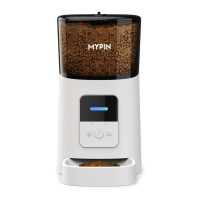
Explains the purpose and location of buttons and indicators on the feeder's control panel.
Step-by-step guide to connect the feeder using the standard EZ mode setup via the mobile app.
Defines the meaning of various LED flashing patterns indicating the feeder's connection status.
Instructions for pairing the feeder using Bluetooth for automatic detection and setup.
An alternative method for connecting the feeder using AP mode when normal mode setup fails.
How to initiate an immediate feeding session using the manual feed option in the app or on the device.
Guide to setting up scheduled feeding times, portion sizes, and repeat rules for automatic feeding.
Instructions on how to record and play voice messages to call pets during feeding times.
How to view feeding history logs and manage low food or battery level alerts.
Covers fundamental settings like battery status, indicator light control, and manual feeder reboot.
Details on device information, time zone configuration, and offline notifications for the feeder.
Answers to frequently asked questions regarding Wi-Fi connection, motor, and feeding problems.
 General
| Charging Time | 2-3 hours |
|---|---|
| Waterproof Rating | IP67 |
| Real-time Tracking | Yes |
| Geo-fence | Yes |
| History Route | Yes |
| APP Support | Yes |
| Subscription Needed | Yes |
| Product Type | GPS Pet Tracker |
| Compatibility | iOS and Android |
| Tracking Technology | GPS, LBS |

 To Next Page