Need help?
Do you have a question about the MyQ VKP1-MYQ and is the answer not in the manual?
Lists all included hardware and accessories for the video keypad.
Details the technical features and capabilities of the video keypad.
Instructions for charging the rechargeable battery before initial setup.
Guidance on downloading and installing the necessary mobile application.
Steps to pair the video keypad with your garage door opener.
Instructions on selecting location and mounting the bracket to the wall.
Steps to attach the video keypad to the mounting bracket securely.
How to operate the keypad for garage access and app features.
Explains the benefits and purpose of the video recording storage service.
Highlights enhanced features like People Detection and Rich Notifications.
Provides pricing details for the available video storage plans.
Information on the free trial and how to subscribe to features.
Support contact numbers and website for assistance.
Outlines the terms and conditions of the product warranty.
Steps to clear Wi-Fi settings and connect to a new network.
Procedure to reset the device to its original factory settings.
Explains the meaning of different LED status indicator lights.
 General
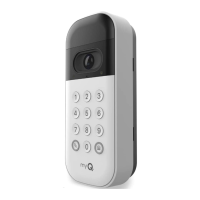
| Model | VKP1-MYQ |
|---|---|
| Category | Keypad |
| Brand | MyQ |
| Compatibility | MyQ-enabled garage door openers |
| Power Source | Battery |
| Mounting | Wall-mounted |

 To Next Page